

Gumloop already has 50+ pre-built MCP servers for popular services like GitHub, Slack, Notion, HubSpot, and more. These work out of the box with agents and workflows. Browse available integrations before setting up a custom server.
Adding a Custom MCP Server
Setting up a custom MCP server takes just a few steps.1
Go to Connectors
Navigate to Settings > Connectors, click the arrow next to Add Connector, and choose Add MCP Connector.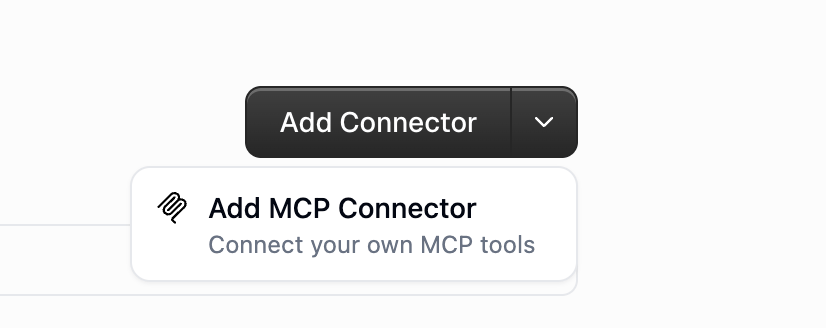
2
Enter the Server URL
Pick a Connection type and enter your MCP server’s URL, then click Connect.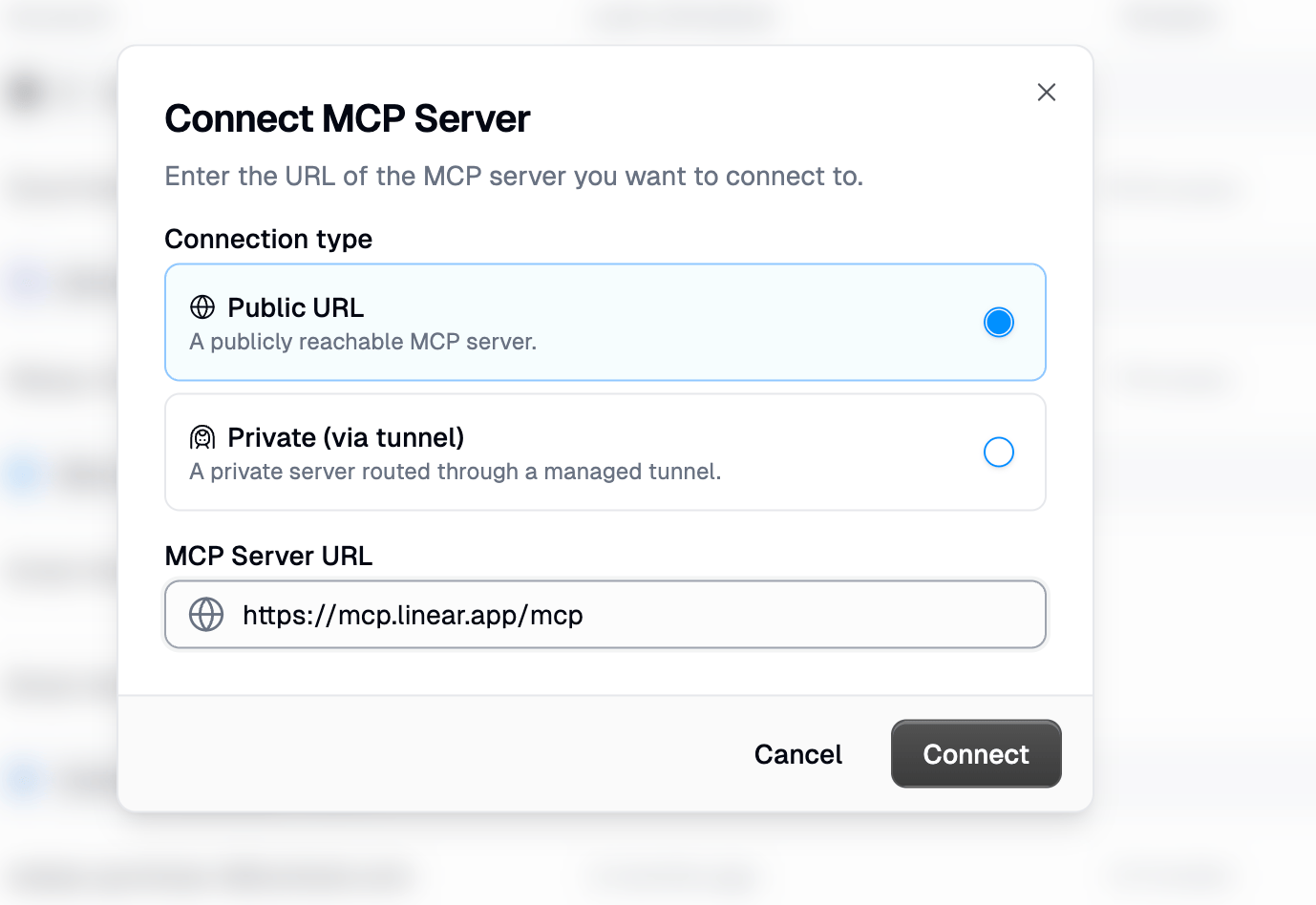
3
Configure Authentication
Gumloop probes the server and shows the Detected Auth method. If the server supports OAuth, click Authenticate and sign in to connect your account. Otherwise, open the Authentication dropdown to supply a token, API key, or custom header instead.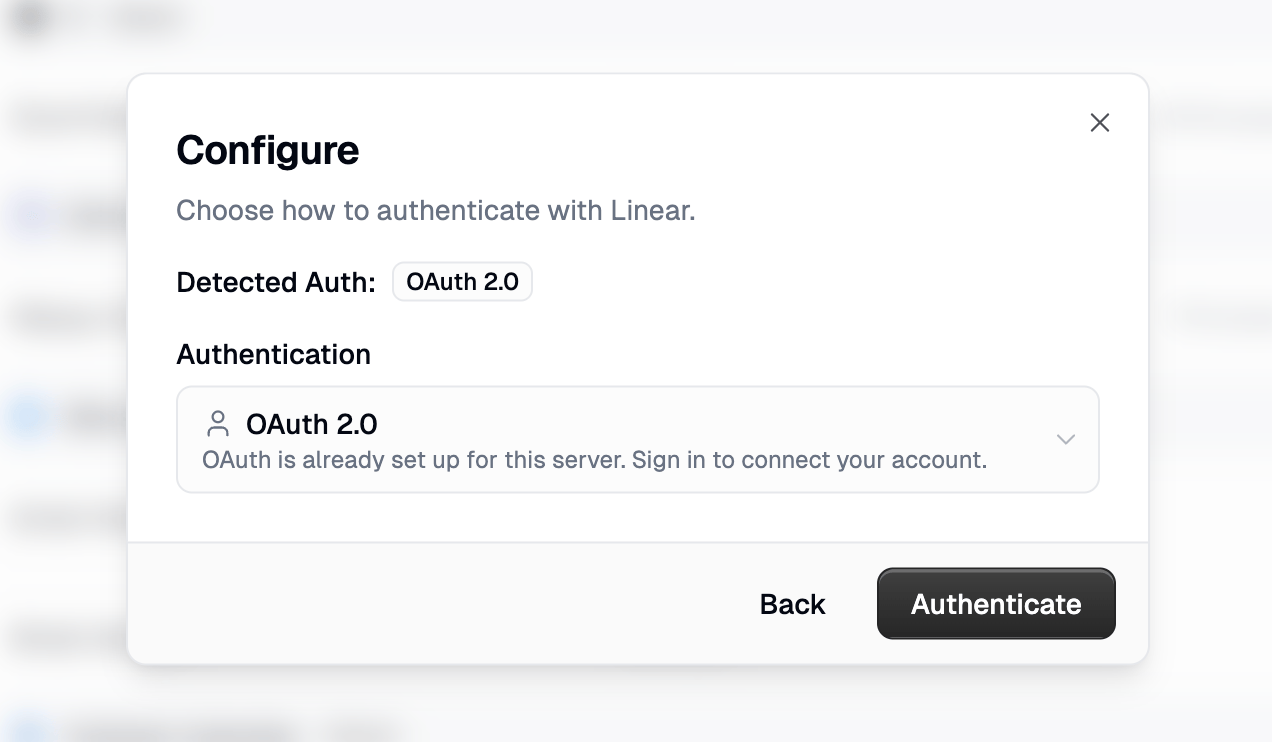
4
Add It to Your Agent
Go back to your agent, open the Connectors section, and click Add Connector. Search for the server you just added and select it to give the agent access to its tools.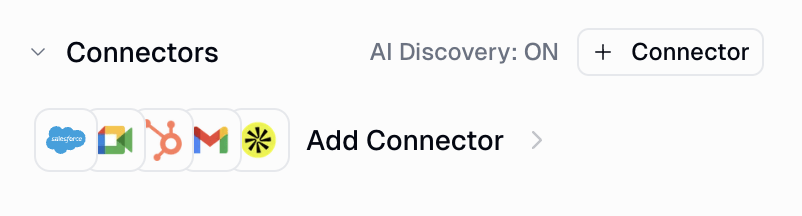
Requirements
Custom MCP servers must meet these requirements:Authentication Options
Gumloop supports multiple authentication methods:- Bearer tokens: Standard OAuth/API key authentication. When you provide an Access Token / API Key, Gumloop sends it as an
Authorization: Bearer <token>header with every request to your MCP server. - Custom headers: For services requiring specific header formats. The Additional Header field accepts a single header in
Header-Name: valueformat (e.g.,X-API-Key: my-secret-key). This is useful for MCP servers that expect authentication in a non-standard header. - OAuth discovery: Automatic OAuth flow discovery (RFC 8414) for compatible servers
Where You Can Use Custom MCP Servers
Once configured, your custom MCP servers can be used in two places: Agents and the Ask AI node.Using MCP Servers with Agents
Agents offer the most flexible way to use custom MCP servers. The AI can discover all available tools and use them naturally in conversation.1
Open Agent Configuration
Go to your agent’s settings and find the Connectors section.
2
Select MCP Server
Click Add Connector and search for your configured MCP server.
3
Use Your Agent
Your agent now has access to all tools from the MCP server. It will automatically discover and use them based on conversation context.
- Conversational context: The agent maintains conversation history and can use tools across multiple turns
- Automatic tool selection: The agent chooses the right tool based on your request
- Multi-server support: Connect multiple MCP servers and let the agent orchestrate between them
- No workflow required: Use immediately in chat, Slack, or embedded interfaces
Using MCP Servers with Ask AI Node
For deterministic workflows, you can connect MCP servers to the Ask AI node.1
Add Ask AI Node
Drag an Ask AI node onto your canvas.
2
Enable MCP
Click Show more options, then toggle Connect MCP Server? to ON.
3
Select Server(s)
Choose your configured MCP server(s) from the dropdown. You can select multiple servers.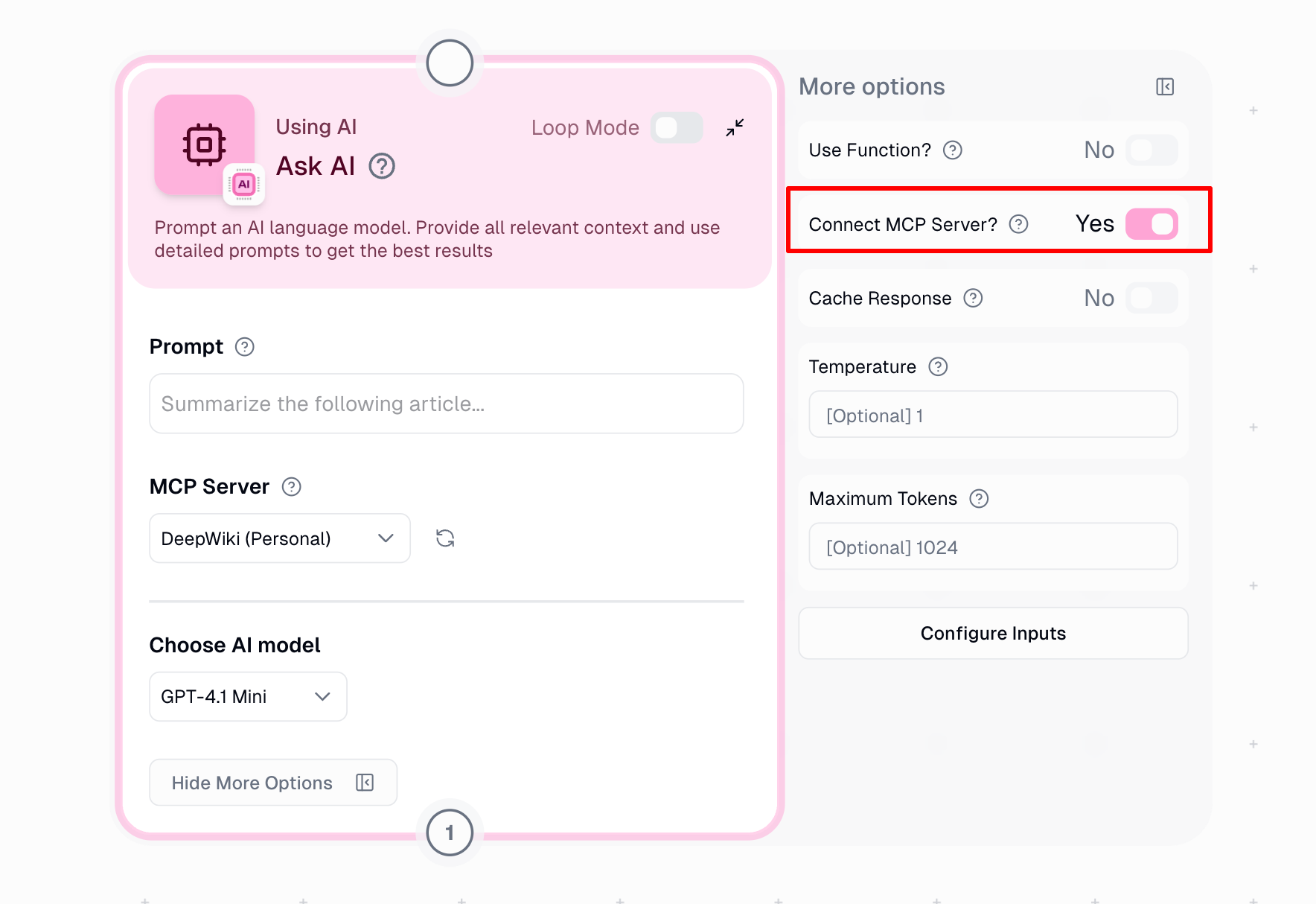
- Building repeatable, production workflows
- Need specific tool calls as part of a larger automation
- Want to combine MCP tools with other Gumloop nodes
Comparison: Agents vs Ask AI Node
Model-Specific Differences
Custom MCP servers work across all models in Gumloop, but how they run depends on the provider:- Native MCP: The provider (OpenAI/Anthropic) connects directly to your MCP server and executes tools.
- Backend connector (Gumloop executes tool calls): Gumloop connects to your server and presents tools as regular function calls; when invoked, Gumloop executes them and returns results to the model.
Header Handling by Model
Security Considerations
Data sharing
Data sharing
Information in your prompts may be sent to your MCP server. Be mindful of sensitive data and review your server’s data handling policies.
Direct tool access
Direct tool access
All tools exposed by your MCP server are immediately available to the AI. There are no approval prompts before tool execution. Use appropriate authorization scopes to limit access.
Multi-server implications
Multi-server implications
When using multiple MCP servers, consider that data retrieved from one server could be passed to another. Design your prompts accordingly.