Brain is your company knowledge base for agents. Connect your tools once, and your agents can search everything your team knows.
Your agents can already take actions through connectors and follow your processes through skills. What they cannot do out of the box is know what your company knows: your documents, your Slack threads, your past decisions, and where any of it lives.Brain is where that knowledge lives.You connect the tools your team already uses, Gumloop indexes them, and your agents can then search across all of it and answer from your real content, with citations, instead of guessing.
Brain is available on the Pro and Enterprise plans.
They work together. An agent might search Brain for your pricing policy, follow a skill to format a quote, then use a connector to email it.The mental model for the rest of this page: indexing a source makes knowledge available; attaching it to an agent makes that knowledge usable by that agent.
Everyone in your organization can see and search it, or only the teams you choose. Often set up once by an admin for the whole company.
Source access controls who can search. Indexed content is searchable only by people and agents with access to the source. The embedding provider Gumloop uses runs under a zero-data-retention policy, so your content is not retained by it or used to train third-party models, and Brain respects incognito chats.
By default, source scope is the only gate: anyone who can see a source can search everything indexed in it. For Google Drive, SharePoint, Salesforce, Gmail, and Linear sources, you can go further and have Brain honor each document’s own permissions in that system. You set this when adding a source (and can change it later on the source’s settings), under Document access:
Original source
Only people with access to a document in the original source can retrieve its content through Brain. Permissions are checked per document.
Gumloop access
Anyone with access to this source in Gumloop can retrieve any document indexed in it, regardless of the original system’s permissions.
Document access appears only for sources that support it — Google Drive, SharePoint, Salesforce, Gmail, and Linear today. Other source types always use Gumloop access.
When Original source is set, Gumloop snapshots each document’s permissions in the original system during sync and enforces them at search time, matched by the user’s email in that system.For Google Drive, a user only retrieves a document if they have access to the underlying Drive file, matched by the email on their connected Google account.Three kinds of Drive grants are honored: direct user access, organization/domain access (matching your verified email domain), and Google Group access — the last one needs the directory connection described below. Documents shared only through “anyone with the link” are treated as no access and won’t surface: Brain fails closed rather than over-share.
With Gumloop access, Brain does not check the source’s own per-document permissions. Anyone who can see the source can retrieve anything indexed in it — including files they could not open directly in the original system. Scope such sources to the audience you intend. See Agent Access.
Changing a source’s Document access setting queues a re-sync so permissions are re-snapshotted against the new mode.
Most Drive files in a company are shared with a Google Group rather than person by person. Drive reports the group’s address, not who belongs to it, so Brain needs a way to expand a group into its members. That is the job of the Google Workspace directory connection: one organization-level Google connection that reads your Workspace group memberships, read-only, so anyone in a group can retrieve the files shared with that group.An organization admin connects it once at Organization settings > General, under Google Workspace directory, using an account allowed to read your Workspace directory. It then applies to every Drive source in the organization.
Because group-only files stay hidden without it, new organization and team Drive sources set to Original source ask for the connection before they can be added — the dialog links an admin straight to it, and switching Document access to Gumloop access removes the requirement. Personal Brain sources and existing Drive sources are unaffected.
Brain fails closed on group membership it cannot read. Files shared only through a group stay hidden from that group’s members when the directory is not connected, when the group lives outside your organization’s directory, or when the connected Drive account can no longer read the file’s permissions. Disconnecting the directory stops group expansion, so group-shared files can drop out of results for those members.
SharePoint reports a group, not who belongs to it, so Brain needs two organization-level connections to expand groups into members:
Microsoft Entra directory: reads Microsoft Entra group membership.
SharePoint site groups: reads SharePoint site group membership. It can only be connected after Microsoft Entra directory.
An organization admin connects both at Organization settings > General, under Microsoft directory. They then apply to every SharePoint source in the organization.
New organization and team SharePoint sources set to Original source need both connections before they can be added. The dialog links an admin to them, and switching Document access to Gumloop access removes the requirement. Personal SharePoint sources don’t need the connections, but files shared only through a group stay hidden from them.
Brain fails closed on group membership it cannot read. Files shared only through a group stay hidden from that group’s members when the connection is missing or can’t read the group. Disconnecting either connection stops that kind of group expansion, so group-shared files can drop out of results for those members.
Salesforce sources can also use Original source. During each sync, Brain snapshots who can read every record and enforces it at search time, matching users by the email on their Salesforce user record.
What is mirrored
Record ownership, plus the owner’s role hierarchy where the object grants access upward
Sharing on the record: sharing rules, manual shares, and shares to public groups, queues, teams, and territories
Organization-wide defaults, for objects whose sharing model is public read
“View All” and “View All Data” granted through profiles and permission sets
Knowledge articles: data category visibility, so a user matches an article only when their profile can see every category on it
Field-level security: fields a user cannot read in Salesforce are kept out of what they can retrieve, so two people searching the same record can see different fields
Where Brain fails closed
Brain never widens access it cannot verify. A record’s content stays limited to View All Data users when:
Restriction rules are active on the object — their criteria are not mirrored
A record is flagged private, in which case non-owner shares are ignored (for private activities, only the assignee and View All Data)
The object’s sharing model cannot be read, or access is controlled by a parent record
A record has no owner, or a user who should match has no email on their Salesforce user record
Knowledge articles with data categories are skipped entirely if the connected Salesforce account cannot use the Metadata API, since per-user category visibility is only available there. Reconnect the source with an account that can use it to index those articles.
Salesforce permissions are re-snapshotted on each sync, so grants you change in Salesforce take effect in Brain after the next sync.
Drive’s Shared with me can be picked as a sync root, and Brain walks it recursively like any other folder. Google does not expose permission lists for that content, so Original source cannot be enforced on it: a Shared with me source has to use Gumloop access, and Gumloop blocks the other combination when you add it. Everyone who can see the source can then retrieve everything indexed from it, so choose the source’s scope accordingly.
A knowledge source is a connection to a place your knowledge already lives. Gumloop reads from it, indexes the content, and keeps it in sync.
Supported source types in the Add a source dialog.
Don’t see your app? You can also sync almost any other app in Gumloop’s connector library, no native source required. See Build your own sources.
Gmail and Linear are now native source types with their own setup, rather than build-your-own apps. See Gmail sources and Linear sources.
1
Open Add a source
On the Brain page (or an agent’s Knowledge Sources section), click + Source and pick a source type.
2
Name it and pick an account
Give the source a clear, descriptive name. This is how agents and your team will see it. Then choose the connected account Gumloop should use to read the content.
Naming a Google Drive source and choosing the account used to read it.
3
Choose exactly what to sync
Narrow the source to only what you want indexed: specific drives, SharePoint sites and libraries, folders, channels, spaces, repositories, or (for Salesforce) objects. Everything you include inherits the source’s scope, so pick with the audience in mind. For Google Drive you can also sync Shared with me.
Selecting which Google Drive folders to sync.
4
Set Document access (supported sources)
For sources that support it, choose how retrieval permissions work: Original source to honor each document’s own permissions, or Gumloop access to let anyone with access to the source in Gumloop retrieve its content. See Document access below.
5
Choose organization access (organization sources)
When you add a source to Organization Brain, a final step controls who in your org gets it: everyone organization-wide, or only specific teams. Personal and team sources skip this step.
6
Add the source
Click Add source. Gumloop starts crawling and indexing.
Brain reads the text in your content. What that means per source:
Source
What gets indexed
Notion
Full page content for the pages and databases you connect.
Google Drive
File contents from the drives and folders you pick, including Google Docs, Sheets, and Slides (converted for indexing). Folders organize results but are not documents themselves.
Slack
Messages, including thread replies, from the public channels you choose.
GitHub
Files from the repository you connect.
Confluence
Pages from the Confluence space you connect.
SharePoint
Files from the document libraries, folders, and files you pick in one SharePoint site. Supports the same file types as File uploads, up to 100 MB each.
Zendesk
Help Center articles from the categories and sections you pick, and support tickets, including each ticket’s subject and full comment thread.
Salesforce
CRM records and Knowledge articles from the objects you pick. Each record becomes one document with its field values as text, grouped under its object.
Gmail
Email threads from the labels you pick in the connected mailbox. Each thread is indexed as one document.
Linear
Issues, documents, and projects from the teams you pick.
File uploads
The files you upload: PDFs, Office files (.docx, .pptx, .xlsx), rich text, Markdown, JSON, XML, YAML, and plain text, up to 25 MB each.
Brain does not run OCR on images, so text inside images or scanned pages is not indexed. Private Slack channels are not synced.
Salesforce is a native source that syncs CRM records and Knowledge articles, so agents can answer from accounts, opportunities, cases, custom objects, and your Knowledge base.
1
Pick the Salesforce account
Choose the connected Salesforce account Brain should read with. Everything Brain can index is limited to what that account can see, so use an account with the visibility you want indexed.
2
Choose which objects to sync
Salesforce is scoped by object, not by individual record. Under Objects you get a checklist of the objects available in your org — standard and custom — and every object starts selected. Uncheck the ones you don’t want, or select only the specific objects you do want.Objects Salesforce doesn’t expose for browsing and reporting, and internal plumbing tables (share, history, and feed objects), are not offered.
3
Set Document access
Pick Original source to mirror Salesforce record permissions per document, or Gumloop access to let anyone with the source retrieve anything indexed in it. See Salesforce record permissions.
How records are indexed
One document per record, grouped under its object, titled from the record’s name, title, subject, or case number
The record’s field values are indexed as text with their field labels, and rich text fields are flattened to plain text
Structural values with nothing to search — raw IDs, system timestamps, and compound fields — are left out of the text
Each record links back to the record in Salesforce, so search results are clickable
You must select at least one object. A Salesforce source that includes nothing would index nothing, so Gumloop won’t let you save it.
Gmail is a native source that syncs email threads from a connected mailbox, so agents can answer from what your team actually said over email.
1
Pick the mailbox
Choose the connected Gmail account Brain should read. Everything indexed is limited to what that mailbox can see.
2
Choose which labels to sync
Gmail is scoped by label, not by individual thread — a label is the whole unit of choice. Pick the labels whose mail you want searchable, or sync everything.Spam, Trash, Drafts, and Chats are never offered and never indexed.
3
Set Document access
With Original source, only the mailbox owner can retrieve that mail through Brain, which is usually what you want for a personal mailbox. With Gumloop access, anyone who can see the source can retrieve anything indexed in it — scope the source accordingly. See Document access.
Each thread is indexed as one document, and syncs are incremental: after the first crawl, Brain picks up only what changed in the mailbox since the last successful sync.
A mailbox is personal by nature. Adding a Gmail source to Team or Organization Brain with Gumloop access makes that mail searchable by everyone who can see the source. Use Original source, or keep the source in Personal Brain, unless sharing the mailbox is the point (a shared support inbox, say).
Linear is a native source that syncs issues, documents, and projects, so agents can answer from your roadmap, specs, and open work.
1
Pick the Linear account
Choose the connected Linear account Brain should read with. What it can index is limited to what that account can see in the workspace.
2
Choose which teams to sync
Linear is scoped by team. Issues, documents, and projects aren’t picked individually — you choose the teams whose content should be searchable, and everything in them is included.
3
Set Document access
With Original source, Brain mirrors Linear’s own team privacy: content from a private team is retrievable only by that team’s members, while content from a public team is open to the workspace. With Gumloop access, anyone who can see the source can retrieve anything indexed in it. See Document access.
Linear sources can be added to Team and Organization Brain, not Personal Brain. Permissions are re-snapshotted on each sync, so a team you make private in Linear tightens in Brain after the next sync.
SharePoint is a native source that syncs files from a SharePoint site’s document libraries, so agents can answer from the documents your team keeps in SharePoint.
1
Pick the SharePoint account
Choose the connected SharePoint account Brain should read with. Brain can only index what that account can access.
2
Choose a site and what to sync
Pick one SharePoint site, then choose which document libraries, folders, or files to include. Only files Brain can index are offered.
3
Set Document access
Pick Original source to honor each file’s SharePoint permissions, or Gumloop access to let anyone with the source retrieve anything indexed in it. See SharePoint file permissions.
After the first crawl, syncs are incremental: Brain picks up only files that changed since the last sync. About once a day, it also runs a full re-sync of the source.
Renaming or moving a folder. Folder selections are saved by folder path. If you rename or move a folder that you included or excluded, the change may not be reflected in what Brain syncs until the next full re-sync. After renaming or moving folders, check the source’s selection.
The source types above are purpose-built and give the best experience. For anything else, you can sync almost any app in Gumloop’s connector library, the same 100+ integrations your agents already use, even when there’s no native source for it (Intercom, HubSpot, Jira, Asana, and more).Instead of a fixed form, a short AI setup chat inspects the app for you, proposes what’s worth syncing, and turns it into the same picker-and-toggle experience as a native source. Nothing is added until you approve the plan.
The screenshots below use Gmail as the example. Gmail is now a native source with its own setup, so it no longer appears under Build your own — the flow shown is the same for the apps that do.
1
Pick the app
In Add a source, search for the app. Apps without a native source appear under Build your own.
Apps without a native source appear under 'Build your own' in the Add a source dialog.
2
Connect an account and (optionally) say what you want
Choose the account Brain should read from, then optionally describe what to sync (for example, “our support emails”). Leave it empty and the setup chat suggests a sensible default.
3
Approve the proposed plan
An assistant explores the app, works out how its content is organized, and proposes what to sync. Review its summary and choose Looks good or Request changes.
The setup chat proposes what to sync and asks you to approve or request changes.
4
Choose exactly what to sync
On the selection screen, narrow the source to only what you want indexed, using the app’s own concepts (labels, folders, channels, projects). Then click Add source.
The selection screen, built from the approved plan. Sync everything or hand-pick what to include.
It inspects the app to learn how content is organized and which parts are worth making searchable.
It proposes a plan as a plain-language summary of what you’ll get, not a list of settings.
It may ask a question when a choice is genuinely yours (which workspace, which username), always with options to pick from.
You approve or request changes.Looks good moves you to the selection screen; Request changes tells it what to adjust, and it reworks the plan.
The setup chat is read-only. It only reads from the connected account to plan and sync the source, and never creates, edits, or deletes anything in your app.
Give it a hint on the connect step for a more tailored plan, e.g. “just our #announcements channel” or “deals closed this year”. Anything specific you mention is carried onto the selection screen so you don’t re-enter it.
The selection screen is built from the approved plan, so the exact controls depend on the app. You’ll typically see:
Control
What it does
Sync by
When an app can be organized more than one way, pick the dimension to sync by (for example, Labels vs. a search query).
Sync everything
Index the whole source, including content added later.
Select what to sync
Hand-pick only the containers you check, such as specific labels, folders, or channels.
What to include
Toggle which content streams are indexed (bodies vs. comments, say). Core content is on by default.
Search box / queries
For content reachable only by an identifier or query (a username, a channel, a search), type the values to pull in.
Everything you include inherits the source’s scope, so pick with your audience in mind. The account works like any source: on Team Brain you can pick a team or personal account; on Personal and Organization Brain you pick a personal account.
Apps with a native source (Notion, Google Drive, Gmail, Slack, GitHub, Confluence, Zendesk, Gong, Linear, Salesforce) use their dedicated setup instead and don’t appear here.
Action-only and scraping platforms (web-scraping, enrichment tools) have no content library to sync, so they’re hidden.
Raw database and warehouse apps aren’t offered, because syncing them safely would need write-capable access that Brain never uses.
Empty accounts or missing permissions — the setup chat tells you rather than creating an empty source, so you can switch accounts. If setup can’t finish (including running out of credits) the source shows Setup failed with a short reason; fix the cause and set it up again.
Once a source is added, Gumloop takes over. You do not manage any of this:
1
Crawl and index
Gumloop reads the source, detects what is new or changed, and indexes the content for both semantic (meaning-based) and keyword search. The source moves to Active and its items show as Indexed.
2
Stay in sync
External sources re-sync automatically (by default about hourly for connectors like Google Drive). Deleted or out-of-scope documents leave Brain after it confirms they are gone. That can require a later sync, so a successful sync does not always remove them immediately. File uploads do not auto-sync.
How long until it is searchable? Indexing time depends on the source’s size, from a minute or two for a small source to longer for large ones. The Status column shows progress and flips to Active once items are indexed and ready to search.
If your admins have already set up Organization sources, they appear under the Organization tab and are ready to search right away. You do not need to add anything yourself to start benefiting from Brain.
Open the ⋮ menu on any source for its management actions:
The per-source actions menu.
Re-sync
Force an immediate sync to pull the latest content without waiting for the next scheduled run.
Pause
Stop syncing and stop any running indexing work. Already-indexed content stays searchable. Resume any time.
Control access
Change who can see and search the source. For organization sources this controls whether it’s available org-wide or only to specific teams; you can also change a source’s Document access from its settings.
Rename
Change the display name your team and agents see. Renaming does not re-index anything.
Delete
Remove the source and all of its indexed chunks from Brain. This cannot be undone.
A newly added build-your-own source is being wired up before its first sync. Flips to Active on its own.
Setup failed
A build-your-own source couldn’t be set up (for example, an empty account or out of credits). Shows a short reason; fix it and set the source up again.
Paused
Syncing is stopped until you resume it. Brain also pauses a source on its own after its last 3 syncs failed on the source’s side, and emails the person who added it. See Automatic pause after repeated failures.
Syncing
A sync is currently running.
Indexed
An item has been processed and is searchable.
Failed
The last sync hit an error. Re-sync or check the connected account.
Partial
The last sync finished, but some items did not index.
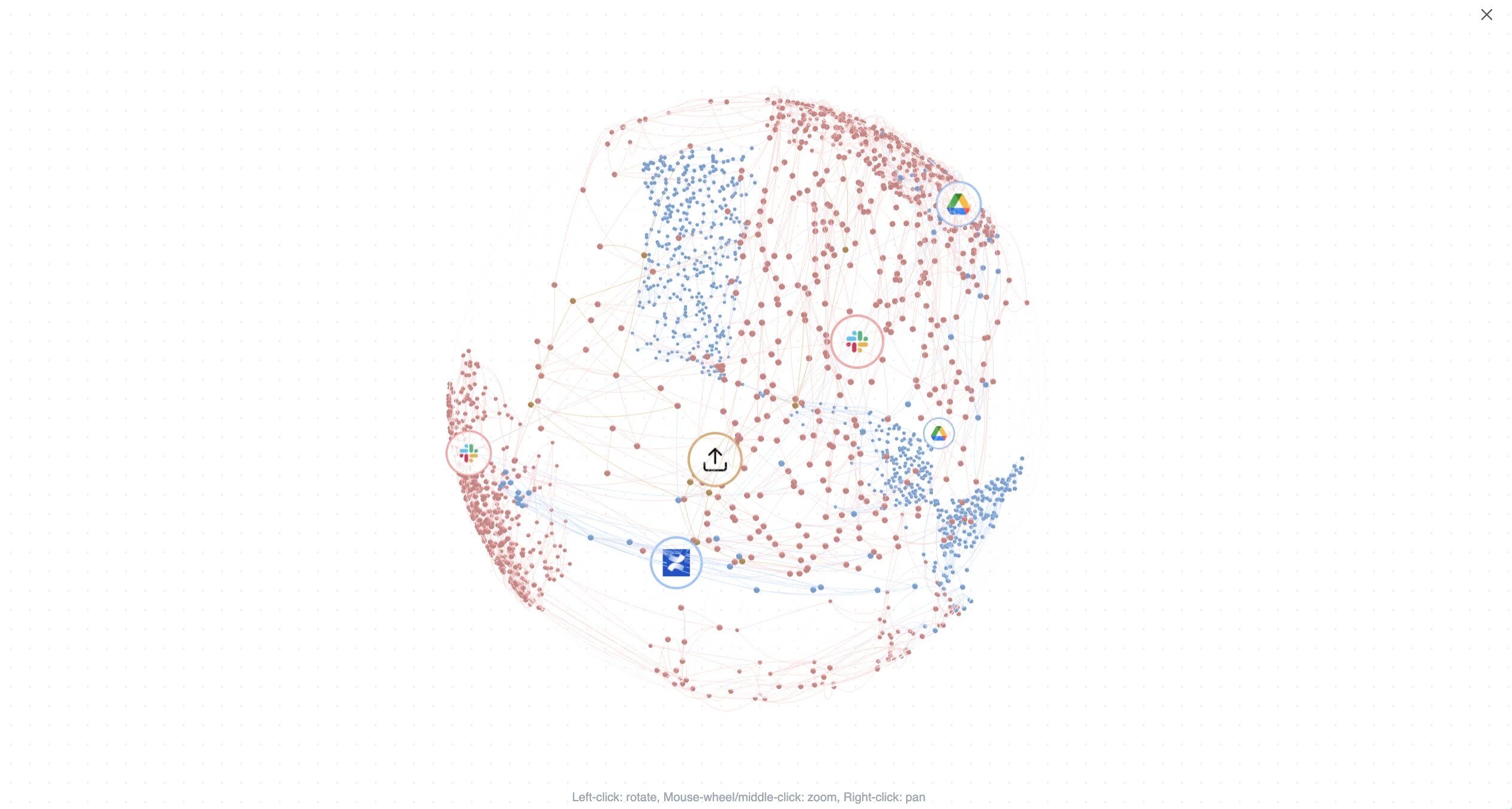
Every Brain view includes a knowledge graph: an interactive 3D map of everything you have indexed. Each point is a piece of your knowledge, clustered by source and colored so you can see how your Slack, Drive, Confluence, and other content group and connect. Click View knowledge graph or Expand to open it full screen and drag to explore.
The expanded knowledge graph. Each cluster is a source; each point is indexed content.
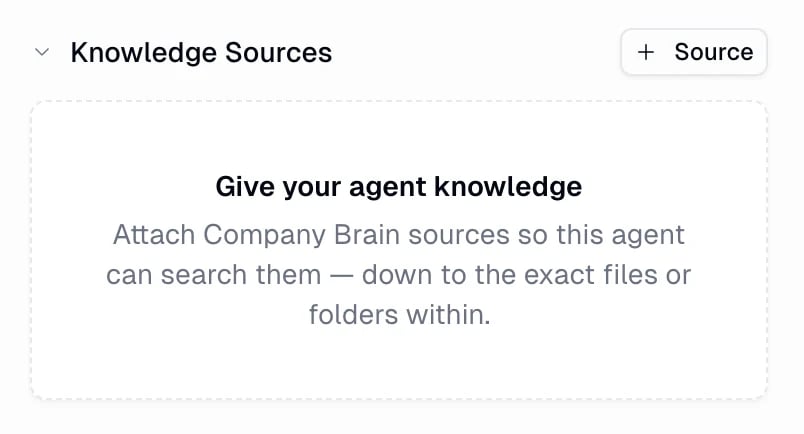
Adding a source to Brain makes it available. To let a specific agent use it, attach it in that agent’s configuration.
The Knowledge Sources section in an agent's configuration.
1
Open Knowledge Sources
In the agent’s configuration, find the Knowledge Sources section and click + Source.
2
Attach sources
Pick from your Personal, Team, and Organization sources, or Upload files to add knowledge straight to this agent. You can drill into a source to attach only the exact files or folders that are relevant, so the agent searches a focused set.
Attaching Brain sources to an agent, grouped by scope.
Once a source is attached, the agent gets two built-in tools automatically:
Search Company Brain runs a hybrid search across the attached sources and returns the most relevant snippets. In chat this shows as Searching Company Brain.
Read document fetches the full text of a specific document when a snippet is not enough. In chat this shows as Reading document.
The agent decides when to search. When you ask about internal knowledge, it searches Brain, cites what it found, and can open a full document for more context.
Once knowledge is attached, you use the agent normally. It reaches for Brain when a question is about your internal content, often running several searches at once and citing the sources it used.
An agent answering from Brain: it runs multiple searches, then cites the source it used.
Prompts that work well:
“According to our internal docs, what is our refund window?”
“Find the launch retro notes and summarize the top three action items.”
“What did we decide about pricing in the Slack thread last quarter?”
“Search our knowledge base for the onboarding checklist and turn it into an email.”
Nudge the agent toward Brain when you want a grounded answer: phrases like “according to our docs,” “search our knowledge base,” or “what do we know about” make it clear you want a cited answer from your content, not a general one.
Beyond the sources you connect, Gumloop can index the artifacts your agents produce, the files they generate for you in chat, so agents can search and reuse past work instead of starting from scratch.
Artifacts are indexed at the Personal (your artifacts) or Team (a project’s artifacts) level.
Only the newest version of each artifact is indexed, and it updates in place when a new version is produced.
Agents find them with the same Search Company Brain and Read document tools, so “pull up the deck we made last week” works like any other knowledge lookup.
Brain search isn’t limited to agent chats. The same hybrid search is available anywhere you build, scoped to the sources the authenticated user can access:
REST API
POST /brain/search — search from any language over HTTP.
The search_brain tool, callable from any MCP client.
Each of these accepts a query, an optional result limit (1–50), and an optional source_type filter, and returns ranked snippets with their title, source, URL, relevance score, and owner metadata.
Indexing (also called sync) is charged as content is processed, so most of the cost lands when you first add a source and when its content changes.
Searching is charged per query. This includes searches an agent runs for you: they are billed inside that agent’s run, alongside the model and tool cost of the same task.
When a source is re-indexed, unchanged content reuses its existing embeddings. Only changed chunks need new embeddings.Where you see it:
Where
How it appears
A chat’s cost breakdown
A Brain line, separate from Chat & Reasoning and Tool Calls
Your credit history
Brain Search for queries, Brain Indexing for syncs, with the source name on each indexing charge
Sync credits and search credits for the whole org, and sync credits per source
Bigger sources and heavier search usage cost more. See Credits for how credits work across the platform.
If your credit balance is exhausted, Brain searches stop working. An agent mid-task is told the search failed and keeps going without those results, so answers can lose their grounding until credits are available again.
Brain is knowledge your agents can search (documents, messages, files). Skills are instructions that teach an agent how to do a task your way. Use Brain for “what do we know about X,” and skills for “here’s our process for doing X.”
My app isn't in the list of source types. Can I still sync it?
Usually yes. Beyond the native source types, you can build your own source from almost any app in Gumloop’s connector library. An AI setup chat inspects the app, proposes what to sync, and you approve it, no technical configuration needed. Apps that already have a native source, and action-only or raw-database apps, are the exceptions.
Can building my own source change anything in my app?
No. Both the setup chat and ongoing sync are strictly read-only. They only read content to index it and never create, edit, or delete anything in the connected app.
How is Brain different from connecting an app like Google Drive as a tool?
A connector lets an agent take live actions and fetch specific items on demand. Brain pre-indexes your content so the agent can do fast, semantic search across everything at once, with citations, instead of navigating a tool call by call.
How long until my content is searchable?
It depends on the source’s size, from a minute or two for a small source to longer for large ones. The source shows Active and its items show Indexed once they are ready.
If I delete a document in the source, does it leave Brain?
Yes, after Brain confirms the document is deleted or no longer included in the source. The indexed copy may remain until a later sync can confirm this, even if an earlier sync succeeded. To remove an entire source and its indexed content from Brain, use Delete.
Is my data used to train models?
The embedding provider Gumloop uses runs under a zero-data-retention policy, so it does not retain your content or train third-party models on it. How Gumloop itself uses your data is set out in the Privacy Policy.
Who can see the sources I add?
It depends on the source’s scope. Personal sources are visible only to you, Team sources to that team, and Organization sources to everyone in your org (or only the teams you pick). Anyone who can see a source can search everything indexed in it, unless you set the source’s Document access to Original source (Google Drive, SharePoint, Salesforce, Gmail, and Linear), which additionally honors each document’s own permissions.
Can Brain respect my Google Drive file permissions?
Yes. When you add a Google Drive source, set Document access to Original source. Brain then snapshots each file’s Drive permissions on every sync and only lets a user retrieve a document if they have access to it in Drive. Google Group sharing is honored too, once an admin connects the Google Workspace directory; files shared only via “anyone with the link” stay private in Brain.
What can I upload as a file source?
Common document formats such as PDFs, Office files (.docx, .pptx, .xlsx), rich text, Markdown, JSON, XML, YAML, and plain text, up to 25 MB per file. Unsupported types are rejected, and Brain does not read text inside images.
Can agents use files they created themselves?
Yes. Gumloop can index your agents’ artifacts at the Personal or Team level, so an agent can search and reuse past outputs. Only the newest version of each artifact is indexed.
Can I search Brain myself, not just through an agent?
Yes. Each source has a Search this source box, and the Brain page has a global search so you can find and preview content directly.
What plans include Brain?
Brain is available on the Pro and Enterprise plans.