Dashboards and an analytics agent for adoption, credit spend, and outcomes across your organization
Insights is the reporting home for your organization. It combines prebuilt dashboards for adoption and credit spend with an analytics agent you can ask about that same usage data in plain language — both on the same page at Settings > Organization > Insights.
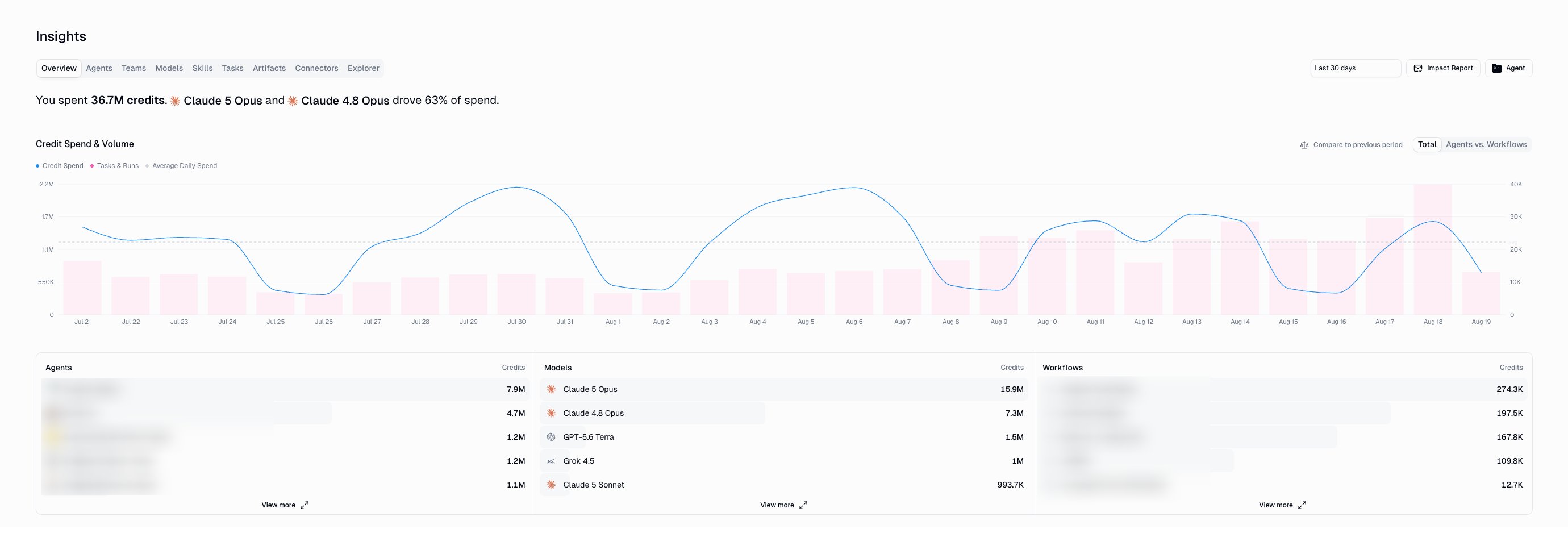
The Overview tab: a plain-language digest, credit spend and volume, and leaderboards for agents, models, and workflows
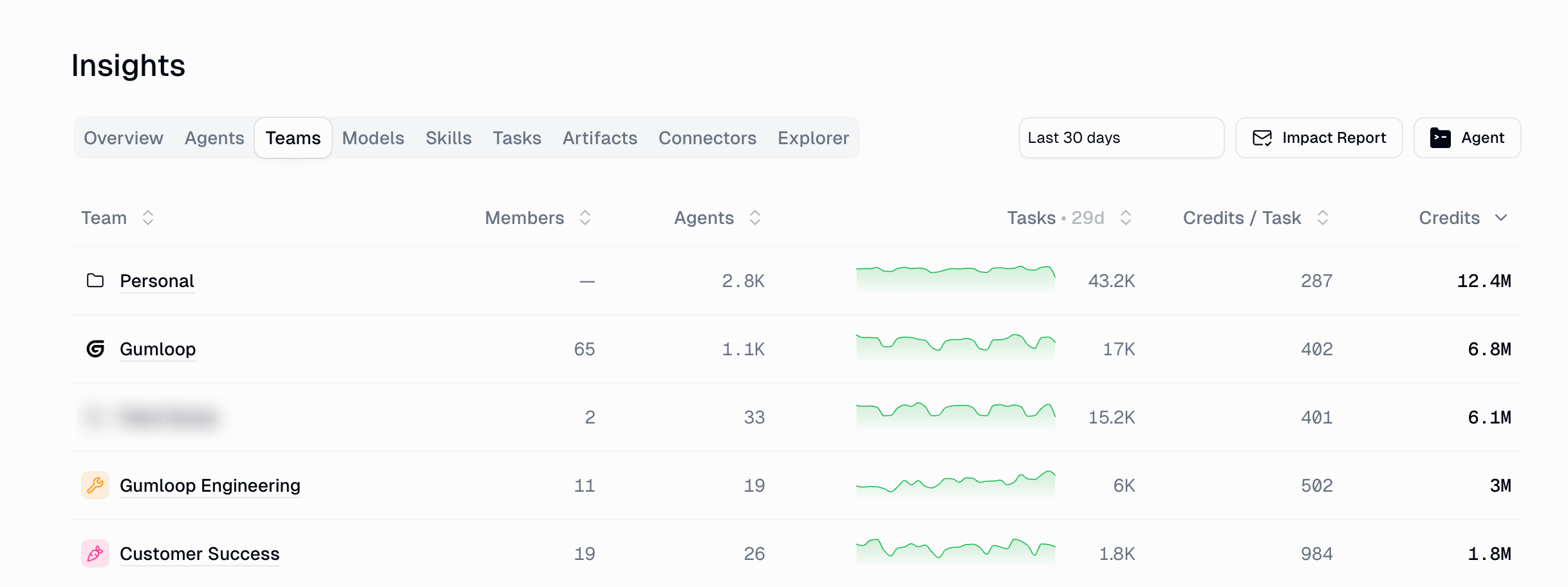
Nine tabs covering credits, agents, teams, models, skills, tasks, artifacts, connectors, and a free-form explorer
Analytics agent
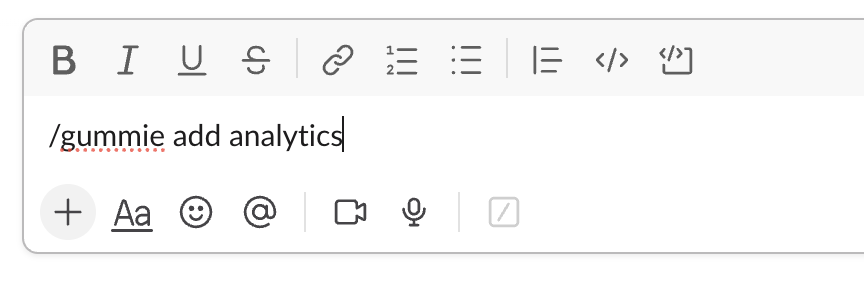
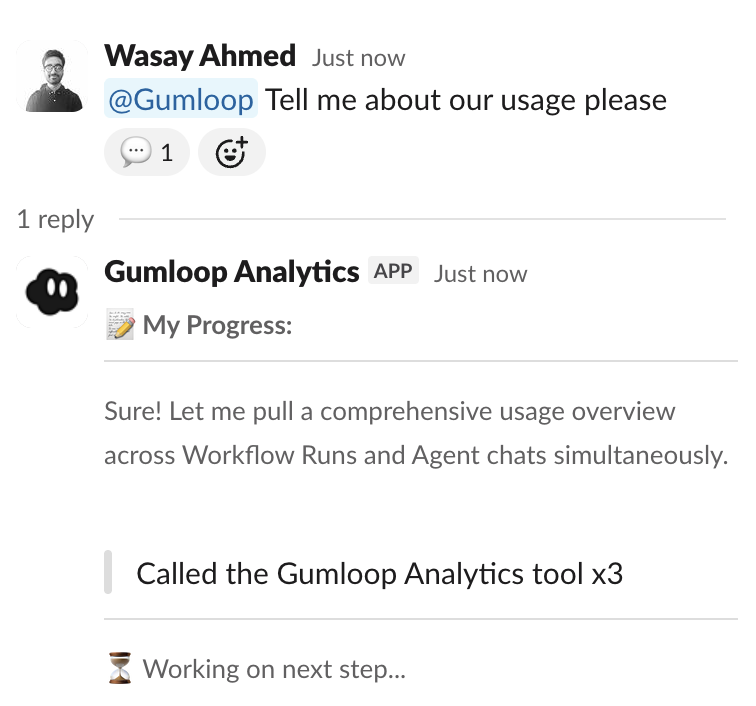
Ask questions in natural language and get tables, charts, and CSV exports — in the app or in Slack
Impact Reports
Schedule a weekly or monthly digest to email and Slack
Drill-downs
Click any agent, team, model, task, or connector to see the detail behind the number
Who can see it: Insights is an Enterprise feature, open to members with the Admin, Manager, or Analyticsorganization role. See the FAQ for what each role can see and how to grant access.
Every tab shares the same controls at the top of the page:
Control
What it does
Date range
Sets the period for every metric on the page. Defaults to the last 30 days; other presets are Today, Last 7 days, Month to date, Last 3 months, and Last month, or pick a custom range.
Impact Report
Opens the scheduled digest settings for the organization. See Impact Reports.
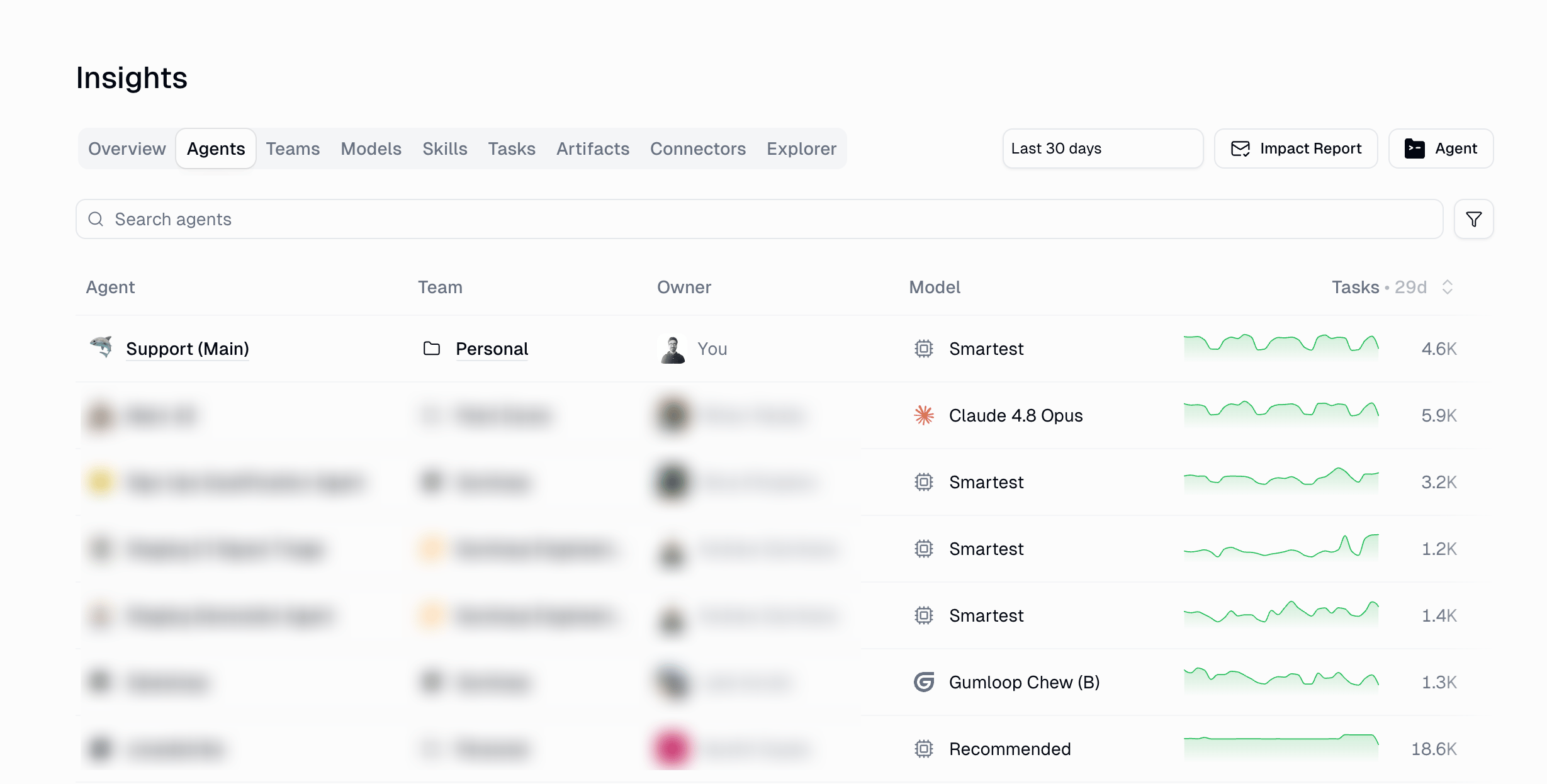
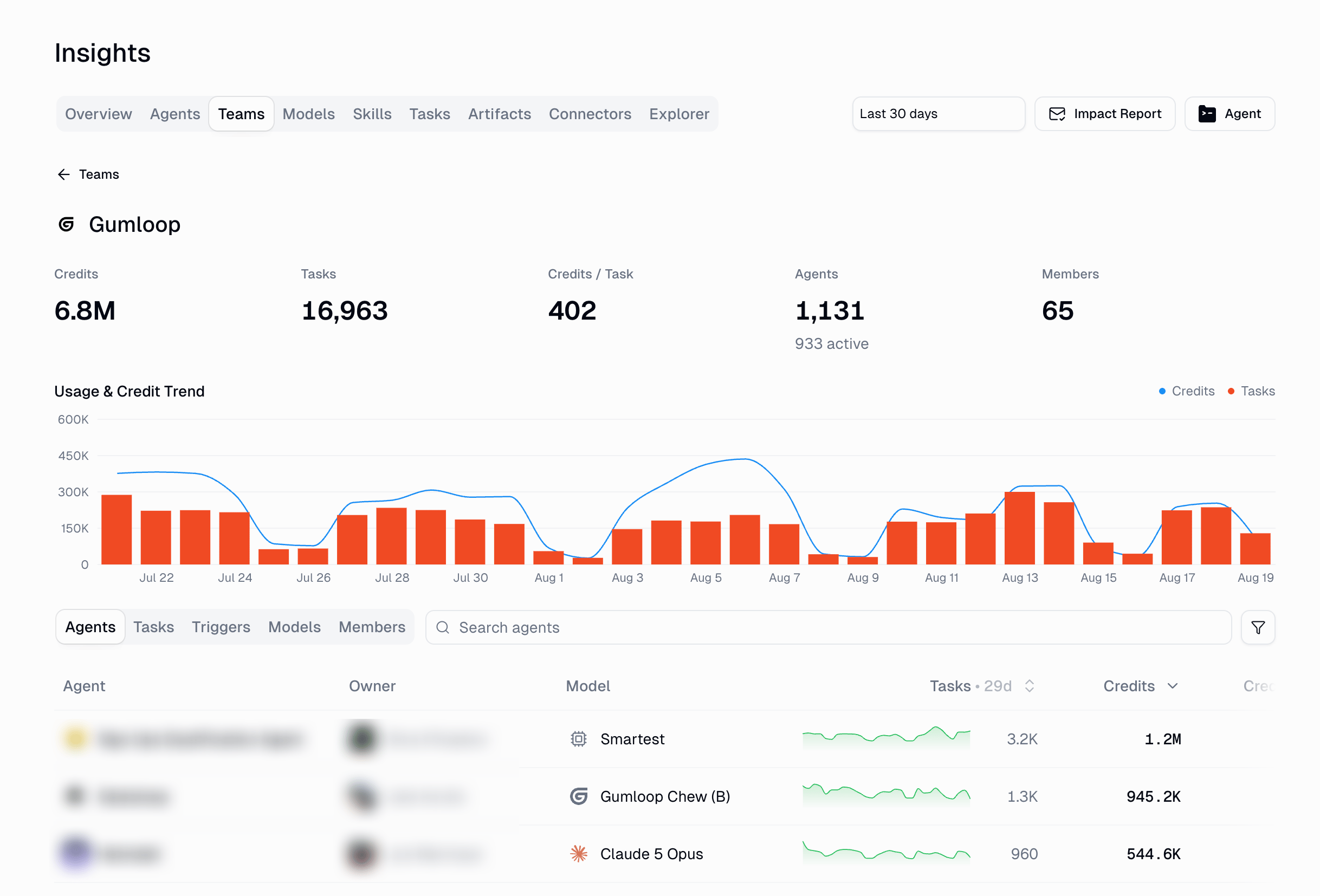
Every agent in the organization with its usage and cost side by side — team, owner, model, tasks, credits, credits per task, how many members use it, and when it was last active. Search and filter to narrow the list.
The Agents tab ranks every agent by usage and credit cost
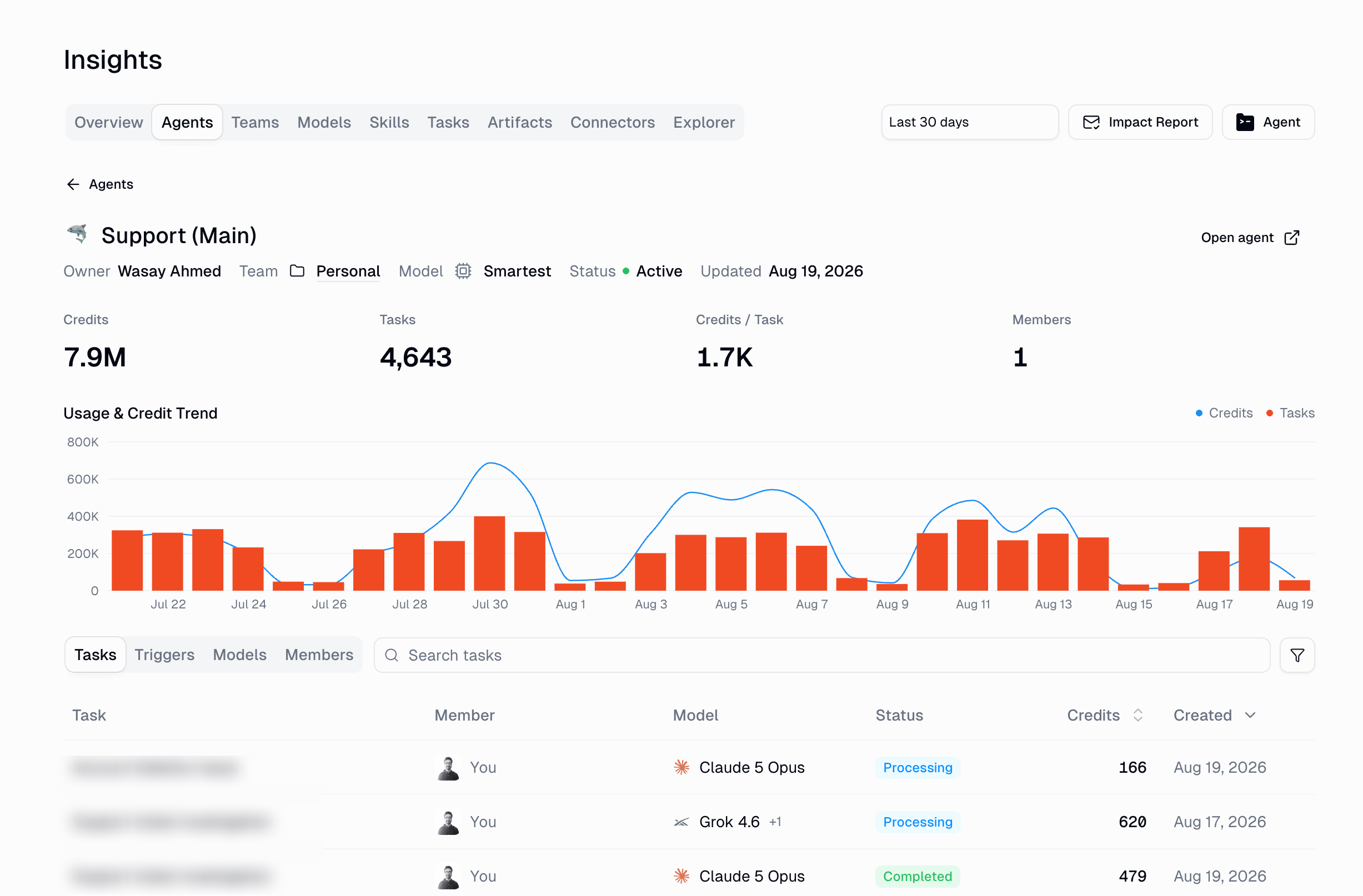
Select an agent to open its detail view: headline metrics, a usage and credit trend, and breakdowns of its tasks, triggers, models, and members.
Agent detail: trend, tasks, triggers, models, and members for a single agent
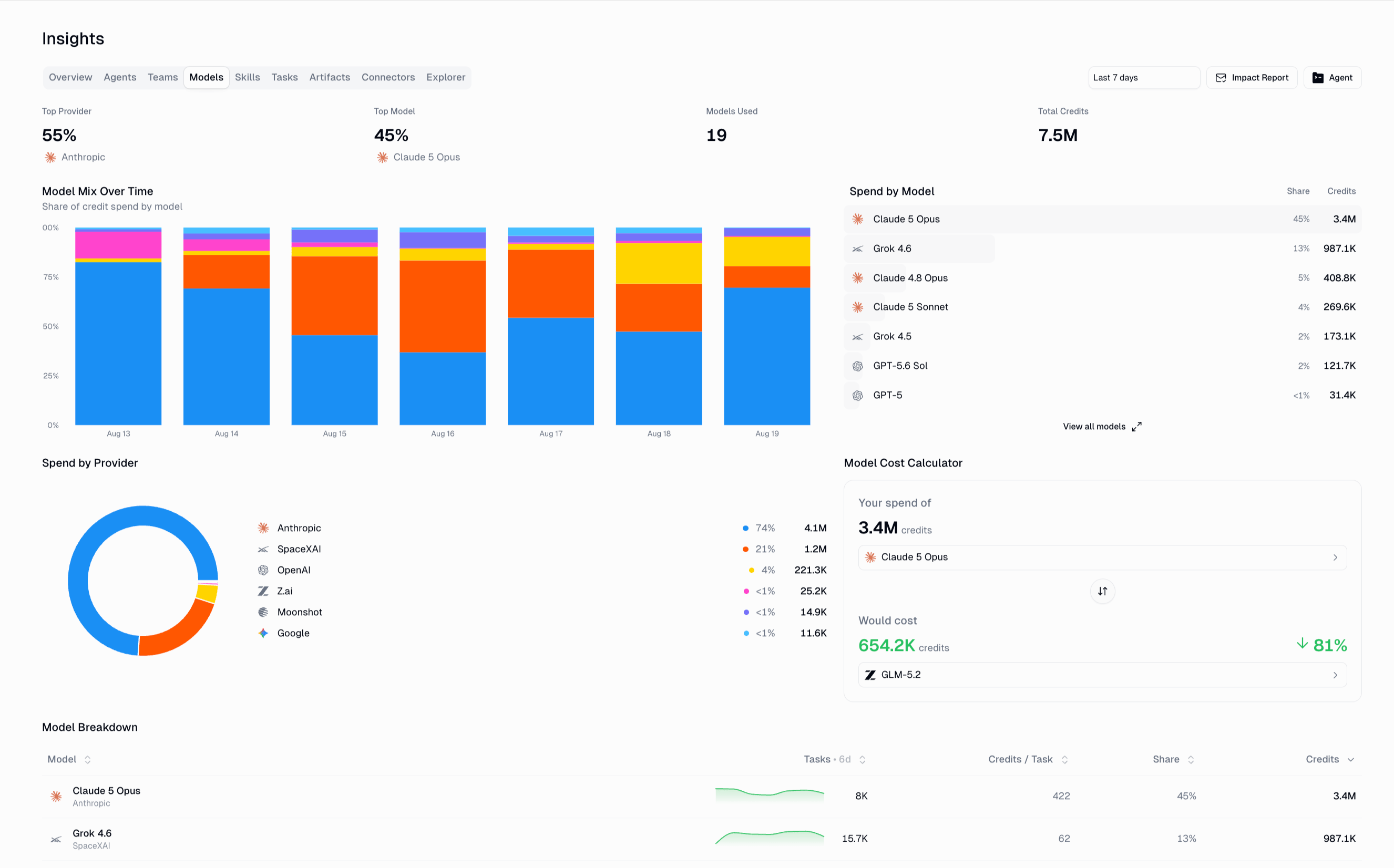
Where model spend actually goes: your top provider and model, the model mix over time, spend by model and by provider, a full model breakdown table, and a cost calculator for estimating the effect of switching models.
The Models tab breaks credit spend down by model and provider
Pair this with AI Model Control when you want to steer the org toward cheaper models.
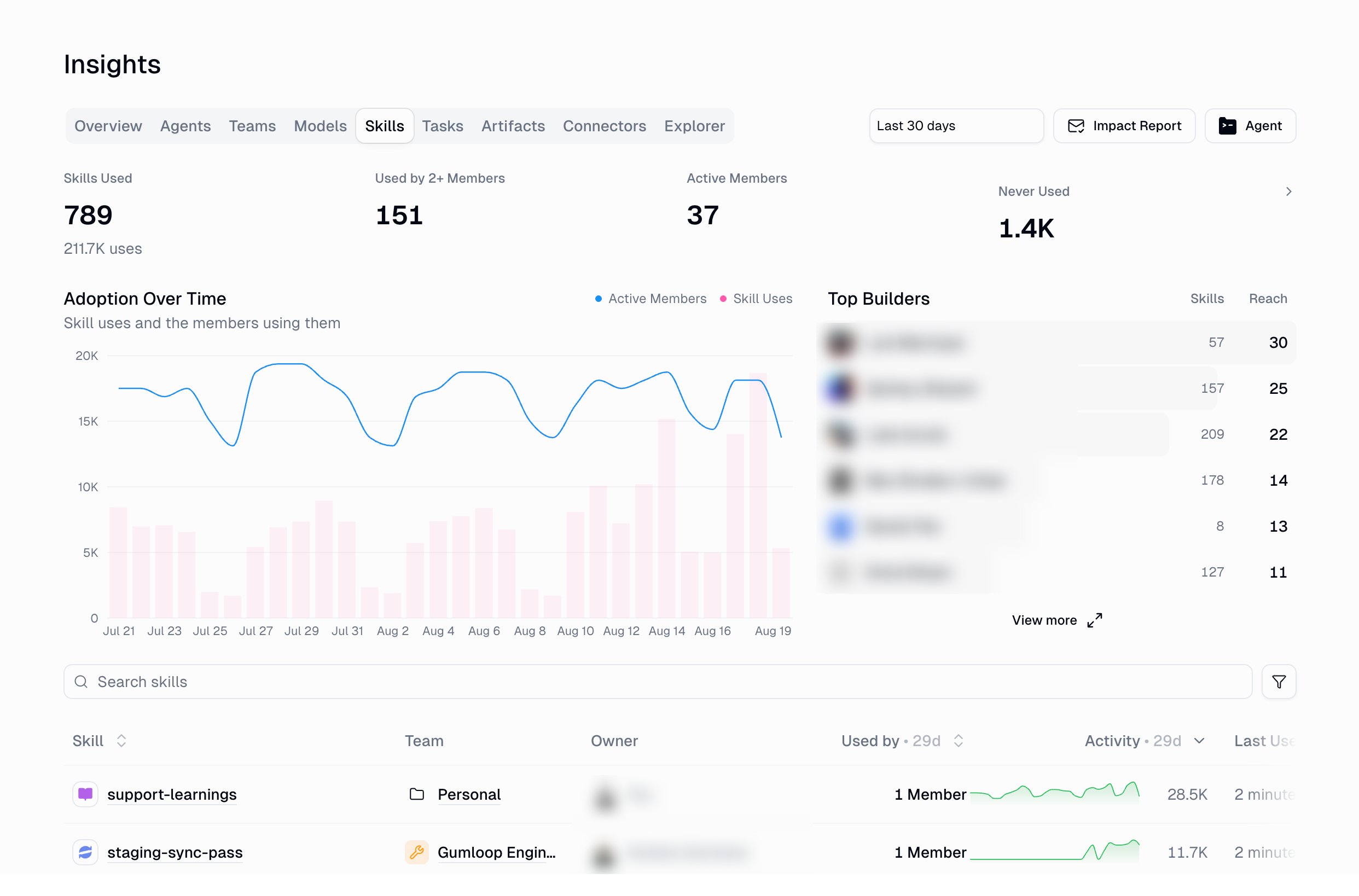
Skill adoption across the org: skills used (and total uses), used by 2+ members, active members, and never used — plus adoption over time, your top builders, and a searchable per-skill table with team, owner, how many members use it, activity, and last used.
The Skills tab: adoption over time, top builders, and per-skill usage
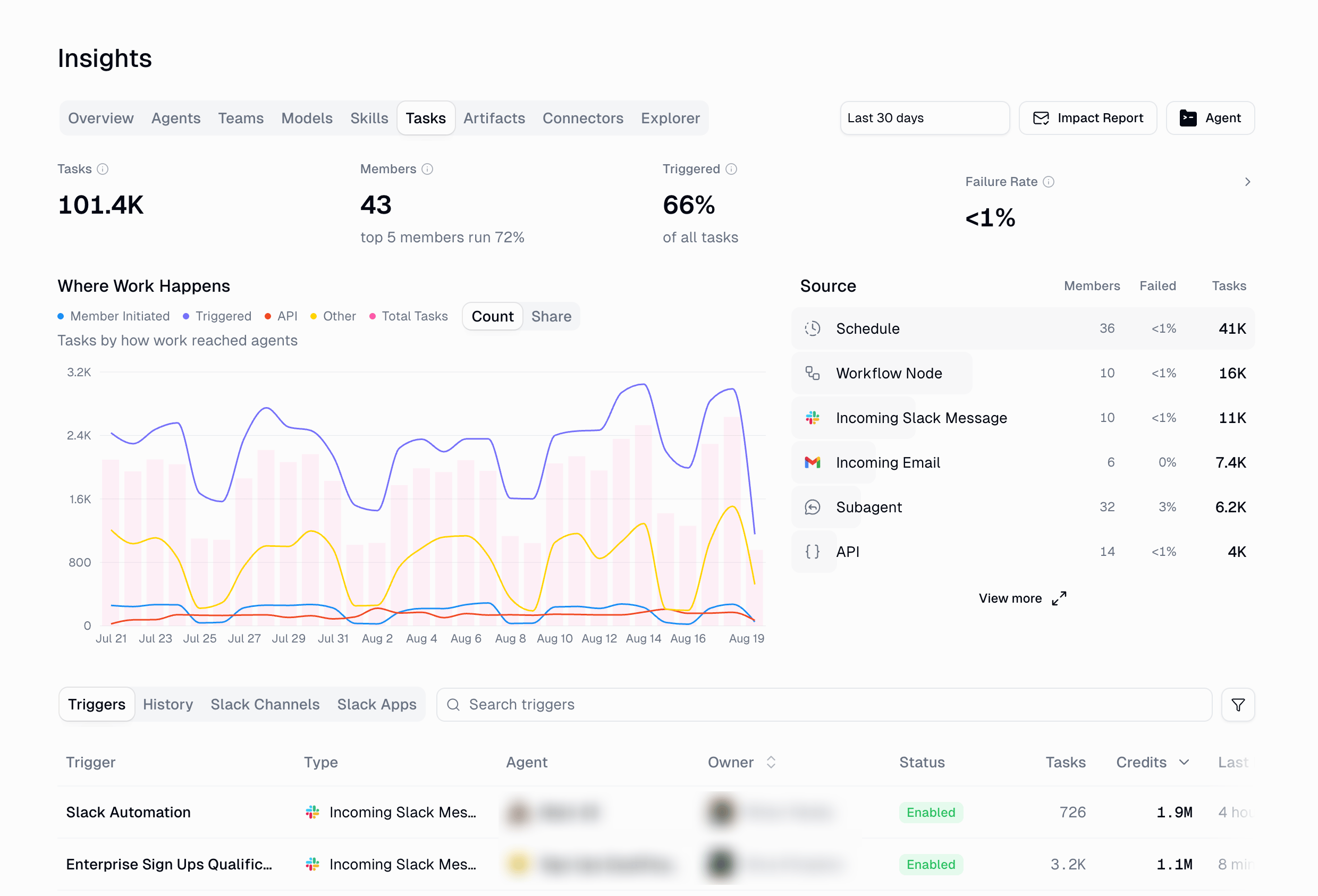
What agents actually worked on. KPI cards for tasks, members, triggered tasks, and failure rate, a where work happens trend by channel, and a source ranking. Four views:
View
Shows
Triggers
Every trigger with its type, agent, owner, status, tasks, and credits
History
Individual task runs
Slack channels
Task volume per Slack channel
Slack apps
Slack apps deployed from your agents, who deployed them, and their task volume
The Tasks tab: where work reached agents, by source and channel
The Source ranking shows how work arrives — schedules, workflow nodes, incoming Slack messages, incoming email, subagents, and the API — with failure rate per source.
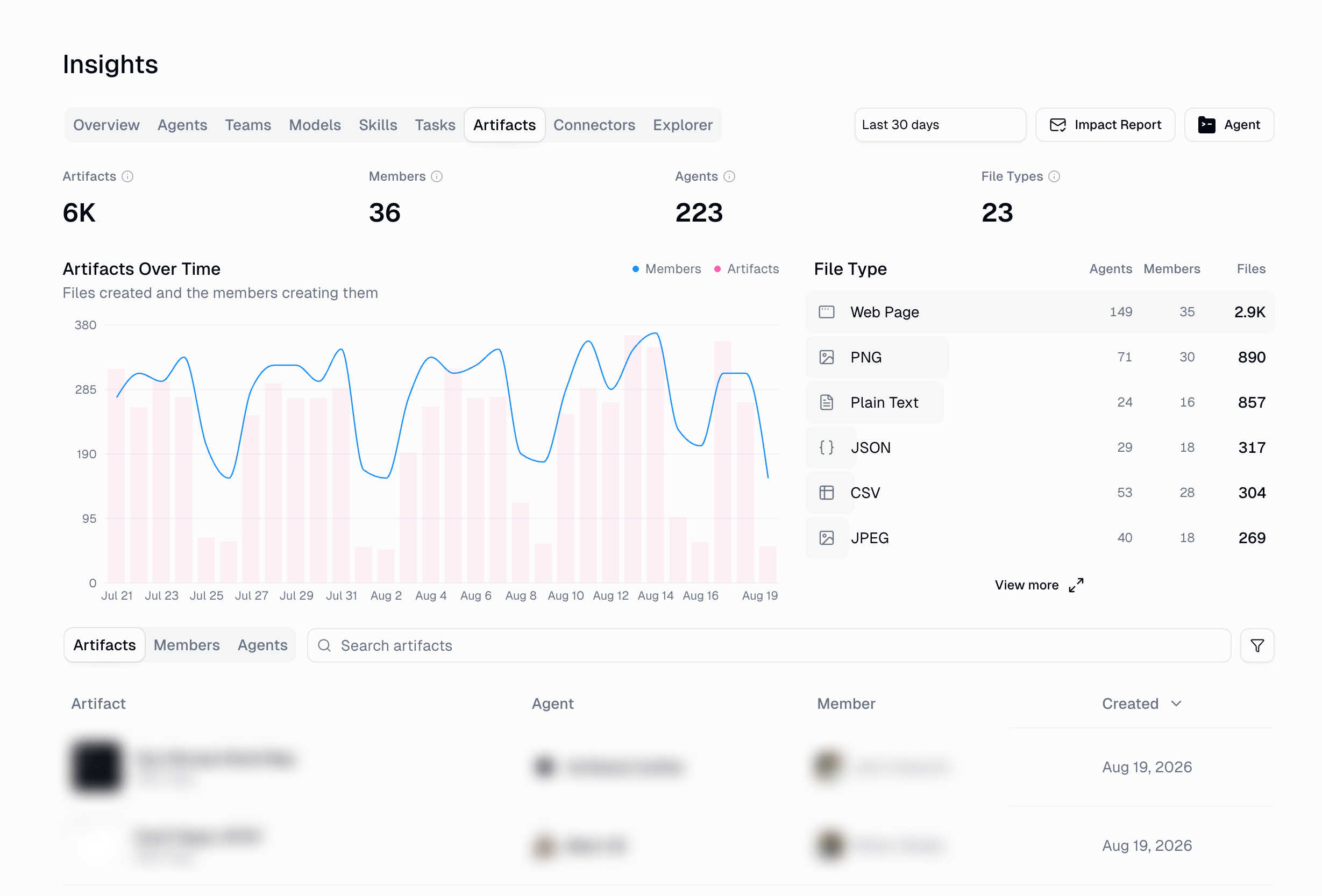
Artifacts agents produced: artifact count, creators, agents, and file types, with an artifacts-over-time trend and a file-type ranking (web pages, PNG, plain text, JSON, CSV, and more). Switch between artifacts, members, and agents views.
The Artifacts tab: files created over time, by type, agent, and member
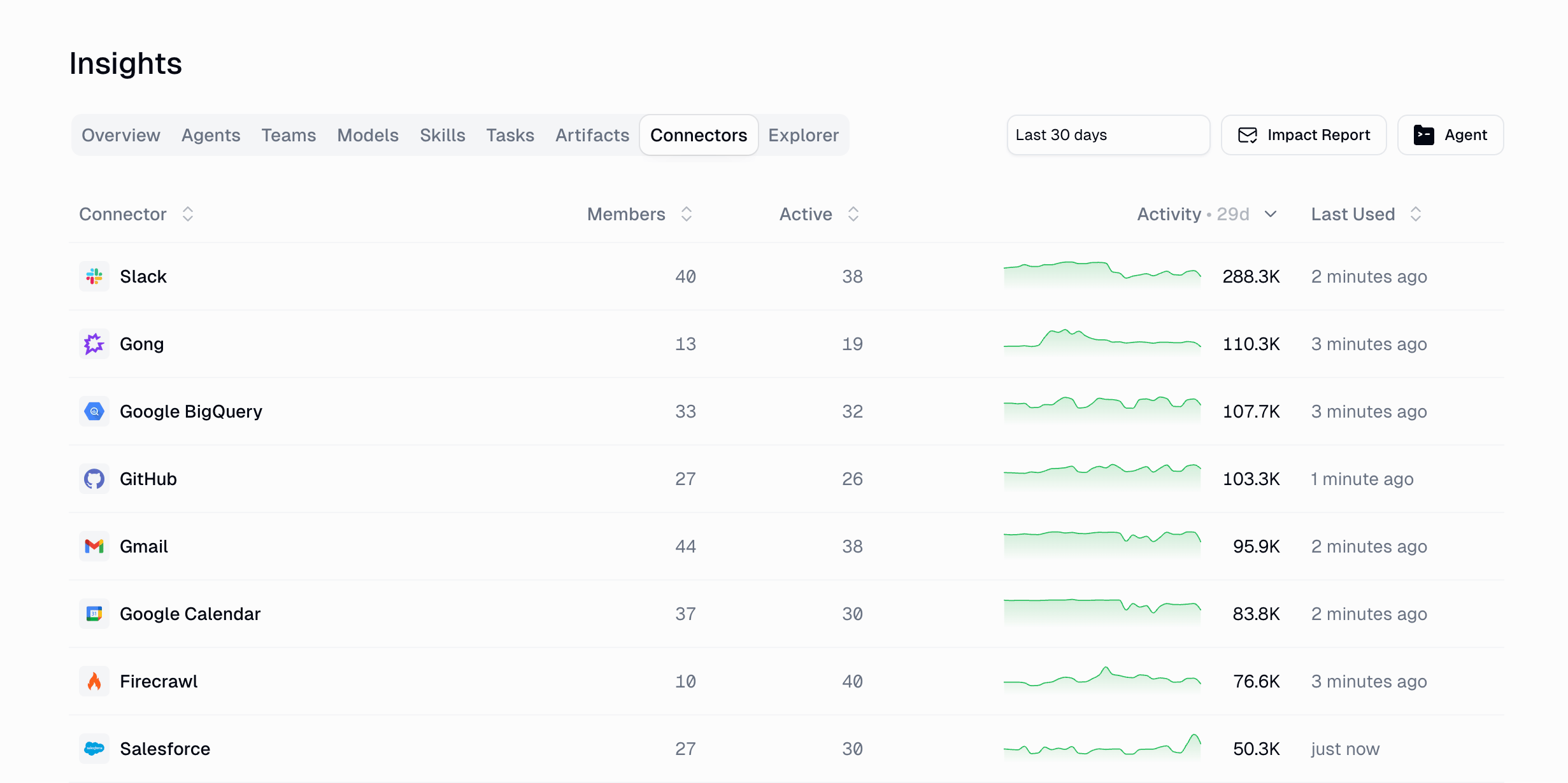
Which connectors are actually in use — members connected, active members, an activity trend, and last used per connector. Select a connector to see the members who connected it and the agents using it.
The Connectors tab: adoption and activity per integration
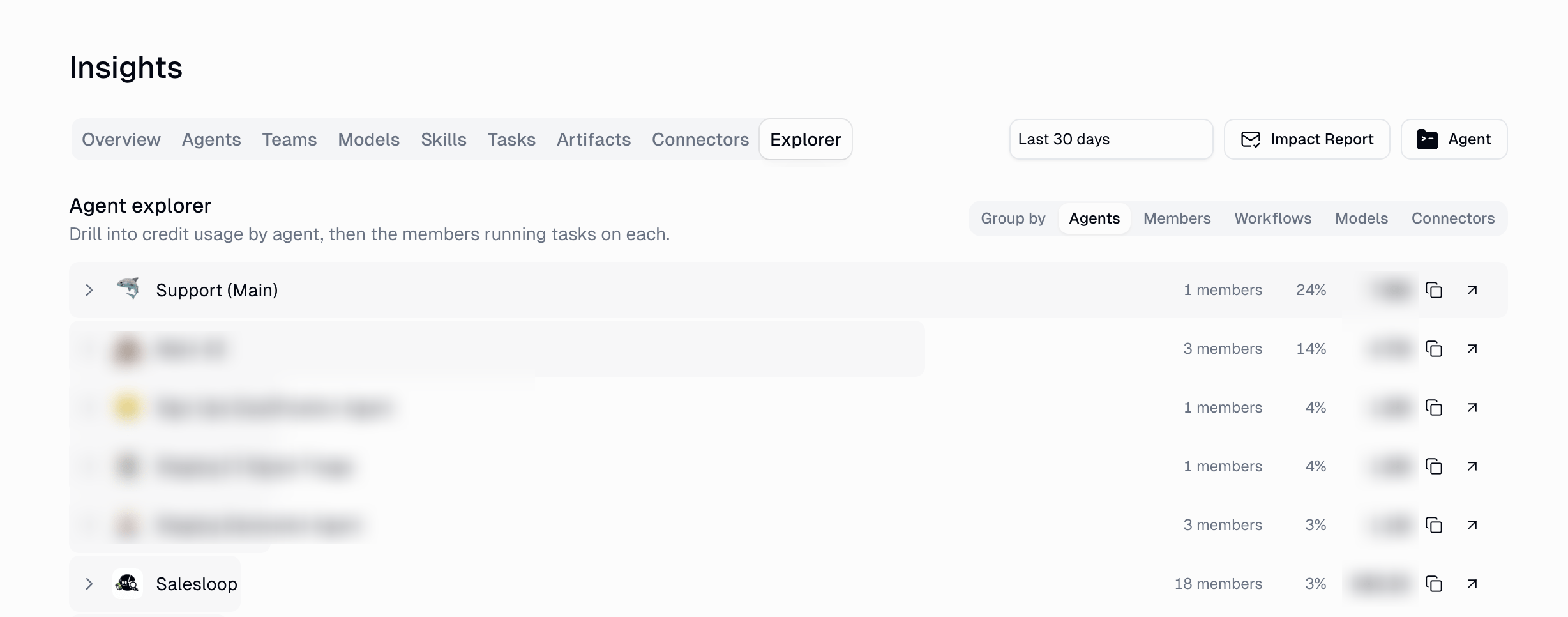
Free-form slicing when no tab answers your question. Choose what to group by, then expand a row to drill one level deeper. Each row shows its share of credit spend.
Group by
Expand a row to see
Agents
The members running tasks on each agent
Members
The agents each member uses
Workflows
The members running each workflow
Models
The agents using each model
Connectors
The members who have connected each connector
Explorer: group by any dimension, then expand a row to drill in
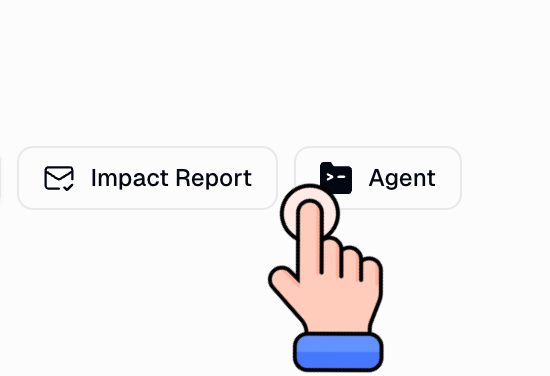
Click Agent to open the analytics agent next to your dashboard. Ask a question in natural language, or start from a suggested prompt:
The Agent button in the toolbar opens the analytics agent
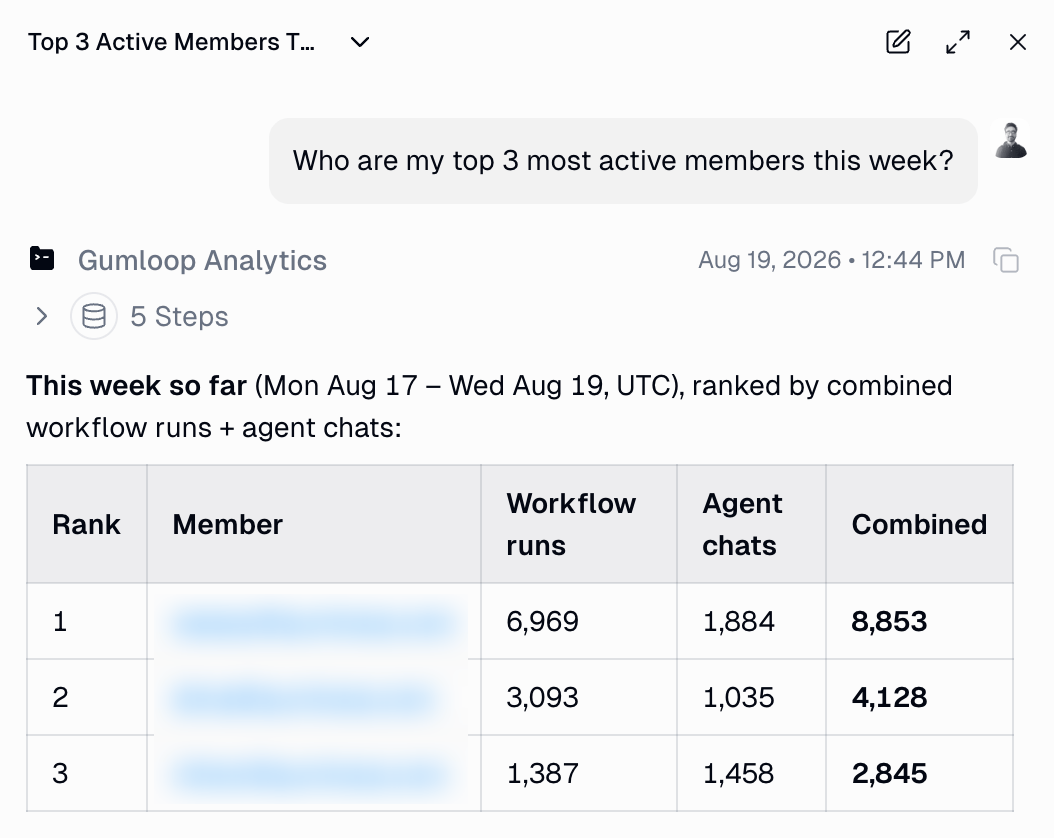
Who are my top 3 most active members this week?
What are the most used agents this week?
What are the most used MCP servers this week?
The agent queries your organization’s data and answers with tables, charts, or CSV exports. Generated files open in a new tab.
The agent answers in the rail, showing the steps it ran and the result as a table
In the rail you can:
Expand the rail for a wider chat, or collapse it to get the full dashboard back
Start a new chat, or reopen a previous one from the chat history popover
Turn on incognito for a chat that is not saved to history (Enterprise plans; an admin can disable it for the organization)
On mobile, the agent opens as a full-screen chat instead of a rail
Chat history follows your access to Insights. If the analytics role is removed from a member, they also lose access to their past analytics conversations.
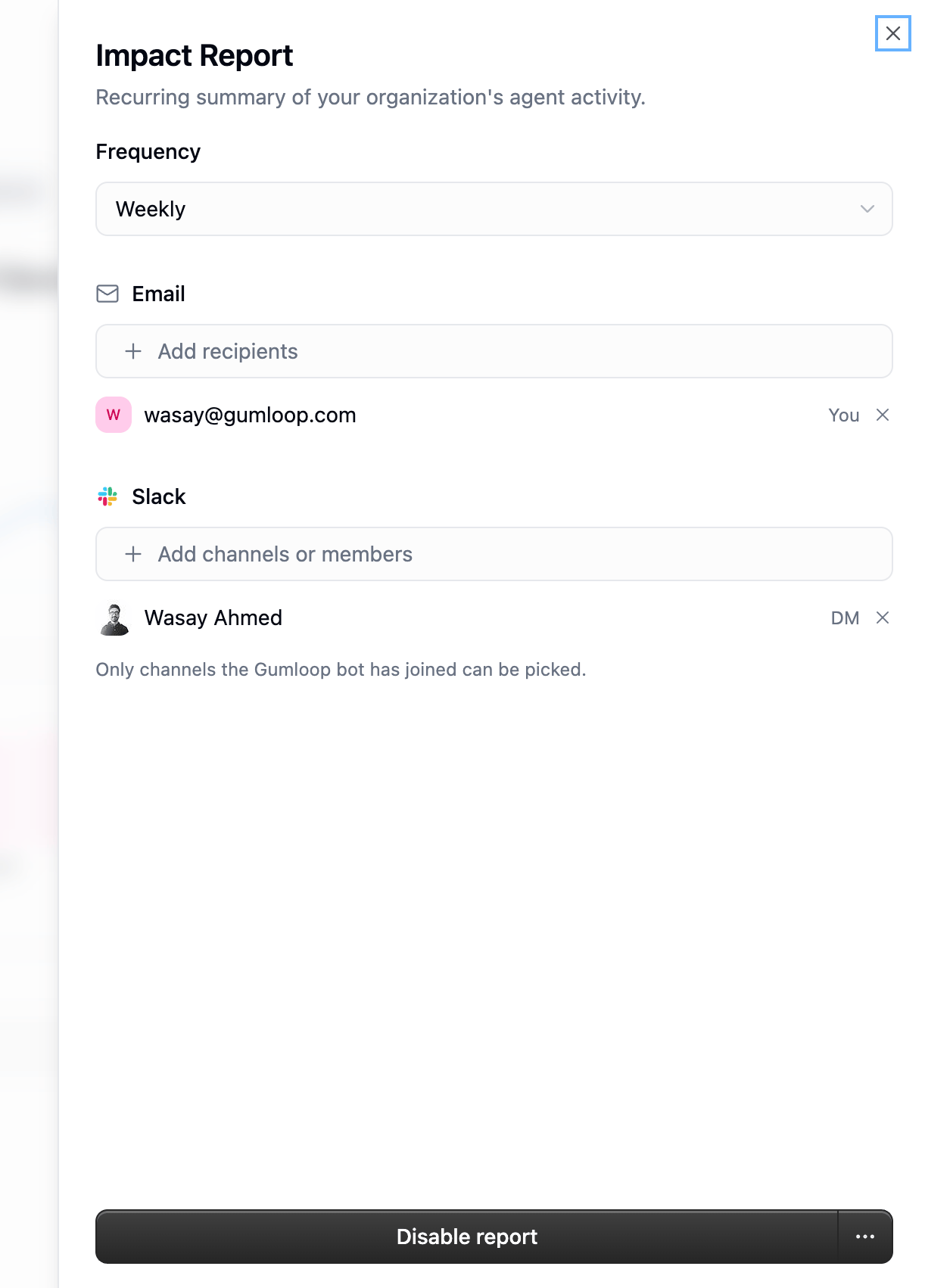
Rather than checking the dashboard, have it delivered. Click Impact Report in the Insights toolbar to schedule a recurring summary of your organization’s agent activity.
Setting
Options
Cadence
Weekly or monthly
Email
Any number of recipient addresses
Slack
Channels, plus direct messages to specific members
Send me a test
Sends the report to you immediately so you can preview it
Only Slack channels the Gumloop bot has joined can be selected. Use Disable report in the same panel to stop delivery.Reports cover the most recently completed period (weeks and months close in UTC) and go out after it closes — emails arrive at 10:00 in each recipient’s local time where that is known. Each report’s numbers are snapshotted when it is generated, so a retry delivers the same figures.
Impact Report settings: cadence plus email and Slack delivery
Anyone who can open Insights can view the report settings; Admins, Managers, and the Analytics role can
enable, edit, and test-send it. The written summary in each report is generated by an AI model and is billed to your
organization as AI utility credits.
Every agent has its own Insights view at Agent > Insights, for owners who only care about their own agent. It uses the same date range picker and shows:
Headline KPIs and a credit spend and volume chart, with the previous period for comparison
Breakdowns by task source, skill, artifact type, Slack channel, member, and model
Its own Impact Report schedule, independent of the organization-wide one
Access comes from the organization role a member holds, assigned under
Settings > Organization > Members. Admin, Manager,
and the Analytics role can open Insights. Member, Security, and Developer cannot — the page is not in
their navigation.Roles are additive, so if someone needs reporting and nothing else, add Analytics to their existing Member role
rather than promoting them to Manager.
Do I need Enterprise?
Yes. Insights and Impact Reports are Enterprise features — on other plans the analytics roles cannot grant access to
them.
Whose data does each person see?
Everyone who can open Insights sees the same organization-wide dashboards — the tabs are not filtered per person.The analytics agent is different: it answers across the whole organization only for Admins. For a Manager or
the Analytics role, the agent answers about that person’s own activity, because the scope is applied when the
query is built rather than filtered afterwards. Use the dashboards and Explorer for organization-wide numbers.
Who can set up an Impact Report?
Admin, Manager, and the Analytics role can enable, edit, and test-send the organization’s Impact Report.
Anyone who can open Insights can see the current settings.
How fresh are the numbers?
Completed days come from a rollup that refreshes hourly, and today’s activity is read live, so the current day is
always current. Recent closed days are recomputed for a few days afterwards to pick up late-arriving records, so a
yesterday figure can still move slightly.Days are counted in UTC — for both the dashboards and the periods Impact Reports cover — so an Insights “day”
may not line up with your local day.
Does using Insights cost credits?
Browsing the dashboards costs nothing. Questions you ask the analytics agent are charged on the amount of data the
query scans, and the written summary in each Impact Report is billed as AI utility credits. See
Credits for how spend is tracked.The agent keeps its own cost low by aggregating instead of returning raw rows and, when your question doesn’t name a
period, limiting time-series tables to the last 90 days. To look further back, state the date range in your question
— that default applies only to the agent, never to the dashboards, whose range you set in the toolbar.
Can the agent reach data it shouldn't?
Every query is scoped to your organization and built against a fixed set of analytics tables and columns — there is
no arbitrary SQL, values are passed as query parameters rather than pasted into the SQL text, and the organization
and user filters are part of the query itself. Asking the agent to ignore those rules, or to role-play around them,
does not change what it can read.