

Preferences
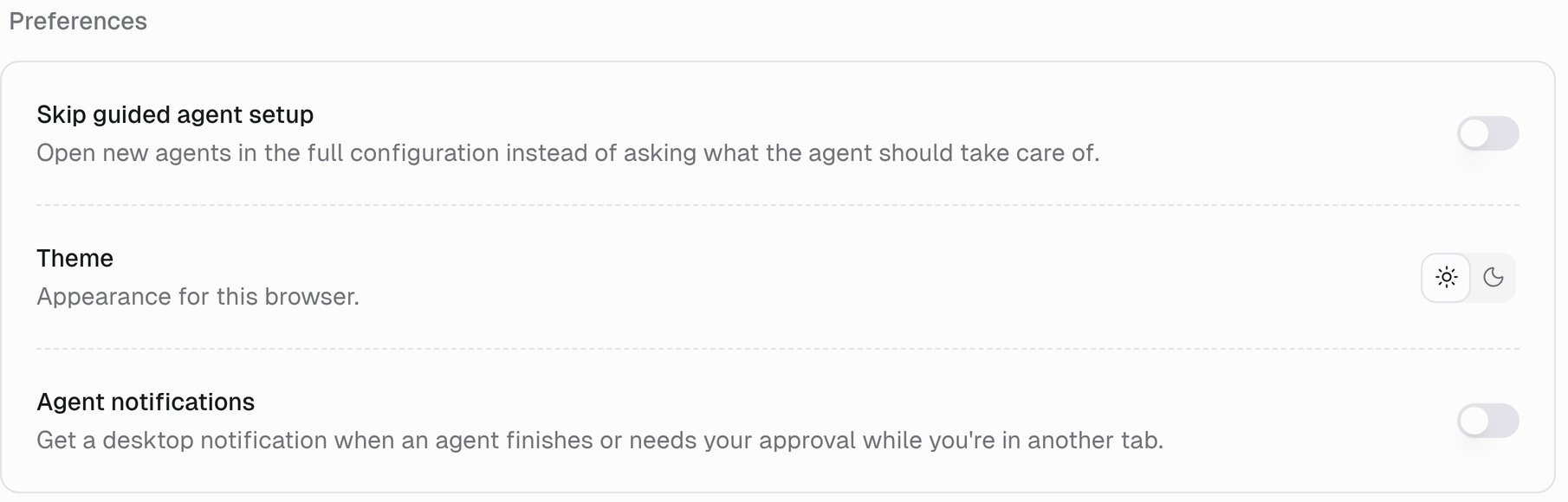
Skip guided agent setup
Open new agents in the full configuration instead of asking what the agent should take care of. Off by default: a new agent asks what it should take care of and sets itself up from your answer. Turn this on once you know the builder and would rather configure everything yourself from the start.Theme
Appearance for this browser. Light or dark. The choice is per browser, so it does not follow you to another machine.Agent notifications
Get a desktop notification when an agent finishes or needs your approval while you’re in another tab. Turn this on and you can start a long task, switch to something else, and get pinged when the agent finishes or pauses for your approval. A few things to know:- Your browser has to allow notifications for Gumloop. The first time you enable the setting, the browser asks. Choose Allow.
- Notifications only fire when the Gumloop tab is in the background. If you are watching the task, you just see it happen.
- The setting is per browser, like the theme. Enable it on each machine you use.
- If you previously blocked notifications, Gumloop tells you: Notifications are blocked for this site. Allow them in your browser’s site settings. Fix it in the browser’s site settings (the padlock next to the address bar), then come back and turn the setting on.
Related
Connectors
Your connected accounts.
Human in the Loop
What an approval request looks like.
Agents
Guided setup and the agent builder.
Organization roles
Settings that apply to everyone.