

Agents: Owner or User
An agent has two roles. There is no editor or viewer any more.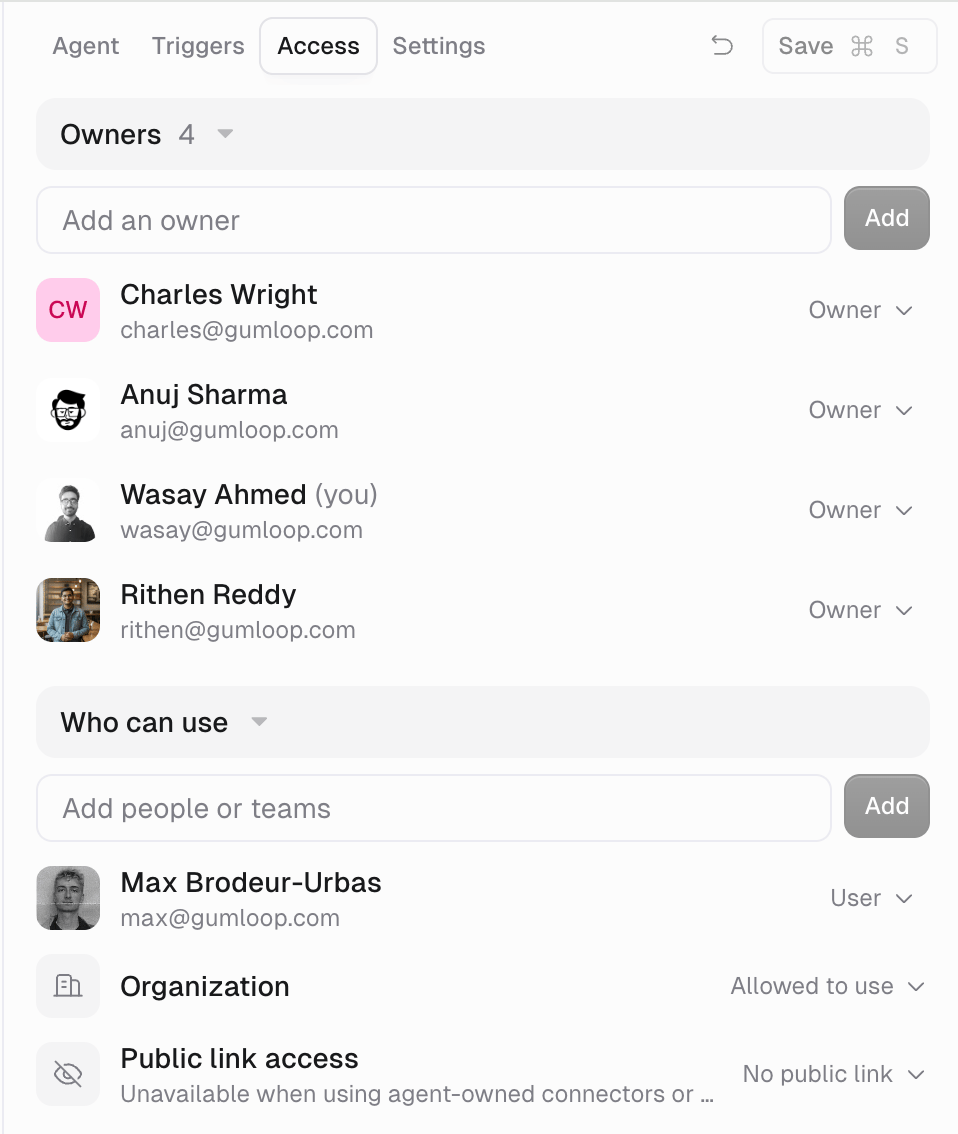
The switches in Access → User Permissions control what a User sees and whether they can copy the agent. See What can a User see on my agent?.
How to assign a role
- Open the agent and click Share.
- Type an email or team name in Add people or teams, pick Owner or User from the role picker inside the field, and click Add. Teams can only be Users.
- To give everyone in your organization User access, set the Organization row to Allowed to use.
- To change someone later, click their role and pick the other one.
Other resources
Skills still use the generic roles: Owner, Editor, Viewer, and Use Only. Shared tasks grant Viewer access. See Sharing a skill. Files use Owner, Editor, and Viewer. Organization, public-link, and password-link sharing grant viewing access only. To let someone manage a file, add them or their team as an Editor from its Share dialog. That Editor access stays separate from organization and public link access. See Agent artifacts (files).FAQ
Does team membership make someone an Owner?
Does team membership make someone an Owner?
No. Team members get User access to team agents. Add them as an Owner if they should manage it.
Can I give one User more visibility than another?
Can I give one User more visibility than another?
No. User Permissions apply to the whole agent, not per person.
Can I stop Users from copying my agent?
Can I stop Users from copying my agent?
Yes. Set Make a copy to Don’t allow in Access → User Permissions. It is allowed by default, and a copy includes the full configuration even where visibility is hidden. See User Permissions.
Related
Agent access
Full Owner and User reference
Who can see tasks
Task Visibility on team agents