

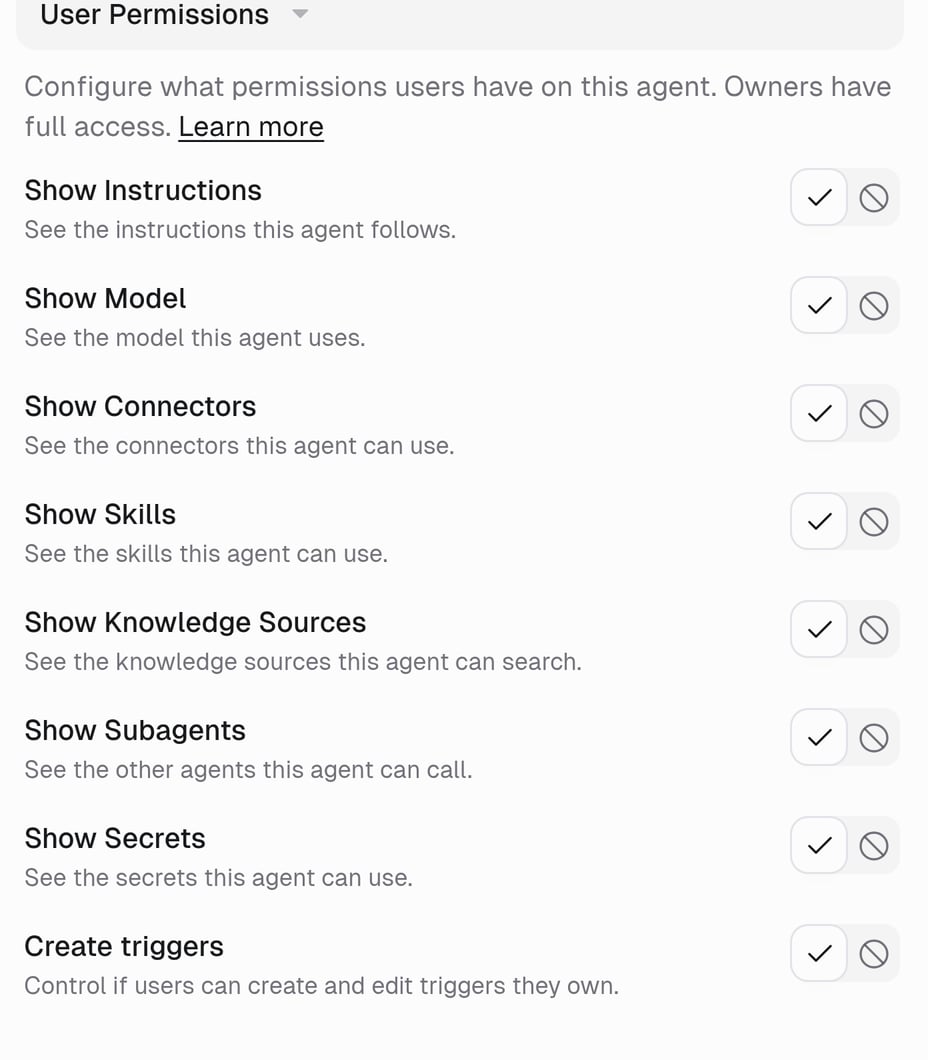
Owners can see and edit the full agent configuration. Saved tasks and files use separate permissions. See Who can see tasks on this agent?.
Two things people get wrong
- Show doesn’t mean edit. A User can read the instructions when Show Instructions is on, but only an Owner can change them.
- Hide doesn’t mean off. Hiding Connectors doesn’t stop the agent from using Gmail. It just doesn’t list Gmail for Users.
Example
A support agent everyone in the company can use, where the prompt is yours to tune:- Who Can Use: Organization
- Show Instructions: Hide
- Show Connectors: Show, so people know it reads Zendesk
- Create triggers: Don’t allow
FAQ
Can I set this per person?
Can I set this per person?
No. The settings apply to every User on the agent. If one person needs more, make them an Owner.
What are new agents set to?
What are new agents set to?
Every visibility setting starts on Show. Create triggers and Make a copy start on Allow, unless an organization admin set different Agent default settings.
Can a User see files and artifacts?
Can a User see files and artifacts?
Users normally see artifacts from tasks they can access. Password-protected and private persistent workspace files have separate restrictions. A file can also be shared independently through File sharing. Making an agent public does not make its conversations or personal files public.
Related
Agent access
Full reference
Let a User create triggers
The trigger switch in detail