

Add someone to the organization
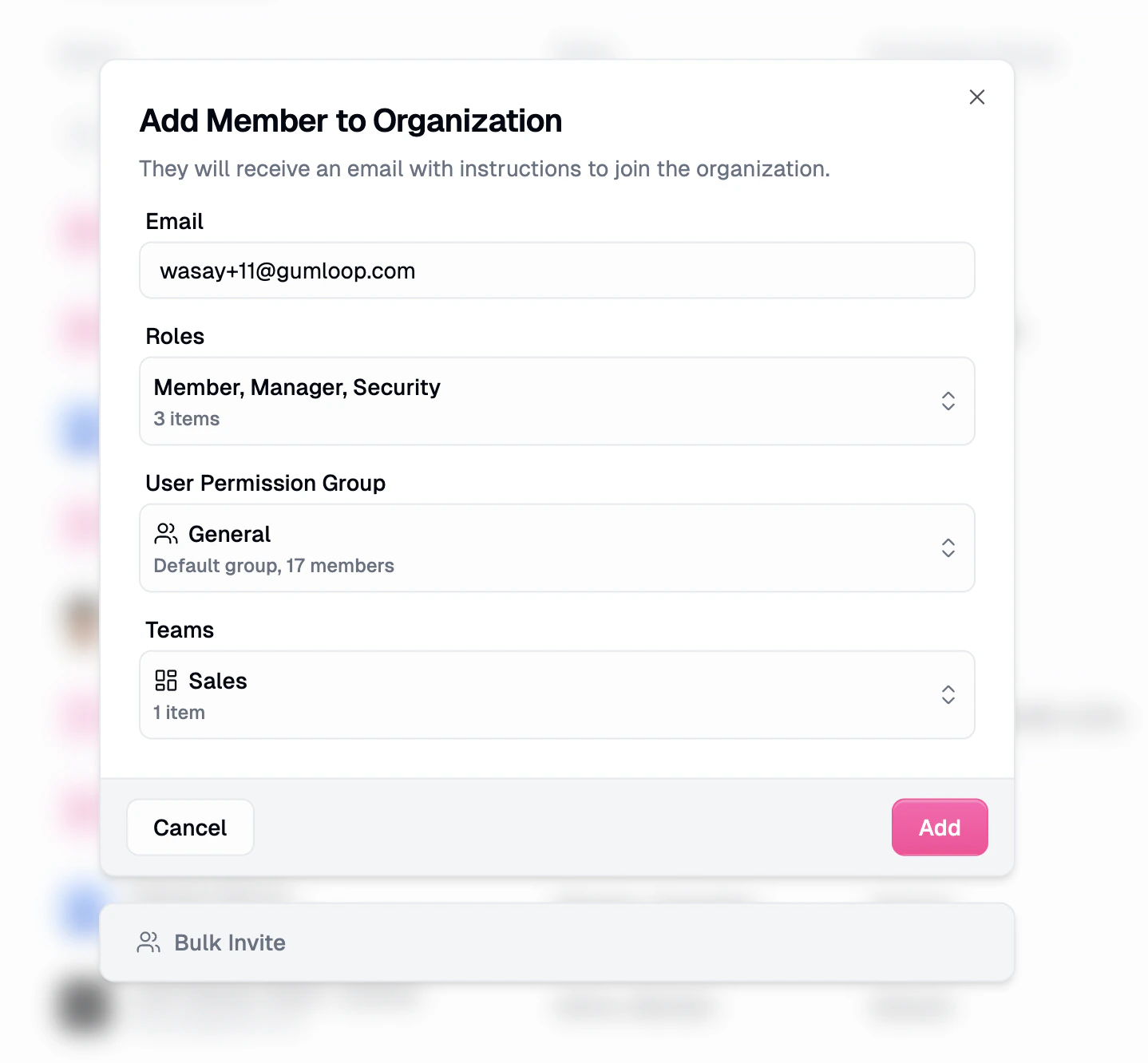
- Go to Organization Members.
- Click Add Member.
- Enter their email.
- Optionally pick extra organization roles and teams. Every invitee already gets Member.
- Send the invite. They show as Pending until they accept.
If your org uses domain restrictions or SSO, people on a blocked domain can’t join. See SSO: SAML, OIDC & SCIM.
Add someone to a team
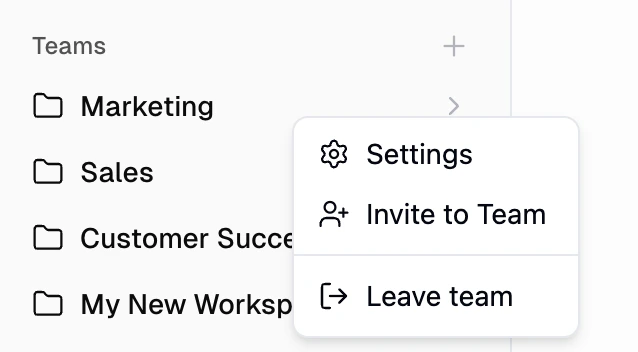
You can pick teams in the org invite modal above, or invite from the team itself. From the sidebar- On the Home page, right-click the team.
- Select Invite to Team.
- Enter their email.
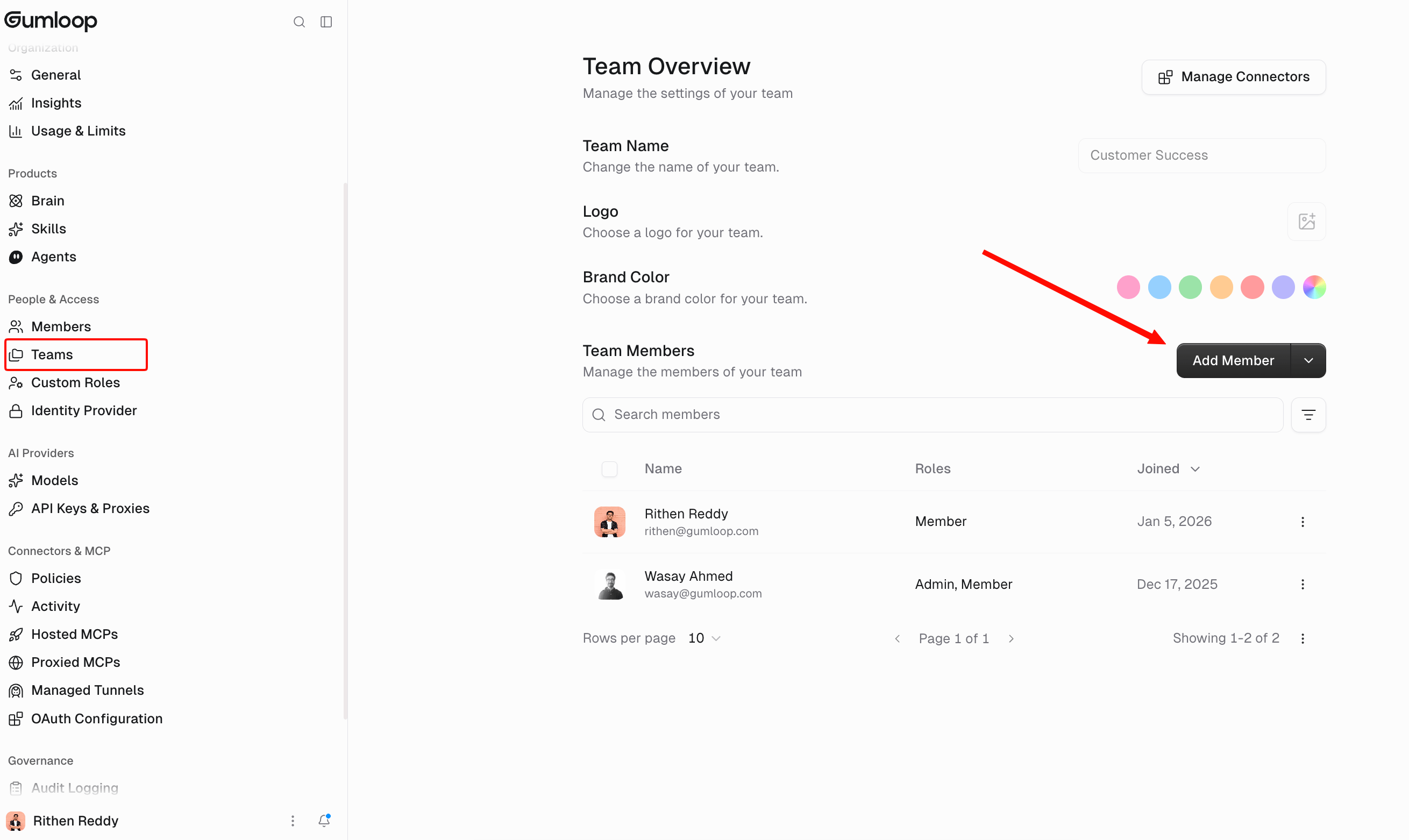
- Right-click the team and open Settings.
- Click Add Member and enter their email.
Good to know
- Inviting someone to a team gives them User access to that team’s agents, not the ability to change them. Add them as an Owner on each agent they should manage. See Sharing roles.
- Org roles are additive. Change them later from Organization Members. That’s separate from an agent’s Owner / User role.
Related
User roles
Admin, Manager, Member
Create a team
Create the team first