

Create or view your personal key
1
Open Profile settings
Open Settings at the bottom of the left sidebar. Profile opens first. You can also go straight to Settings → Profile.
2
Generate the key
Find the Gumloop API key row, just below User ID, and click Generate API key.
3
Copy the key
The key appears masked in the same row. Click the eye icon (Show API key) to reveal it or the copy icon (Copy API key) to copy it, and store it somewhere safe. The API and CLI also need your User ID, which is in the row above.

Create or view a team key
Each team has its own key. In the left sidebar, right-click the team under Teams and choose Settings. Org admins can also open Settings at the bottom of the left sidebar, choose Teams under People & Access, and select the team. On the team’s Team Overview page, the Gumloop API key row sits below Brand Color.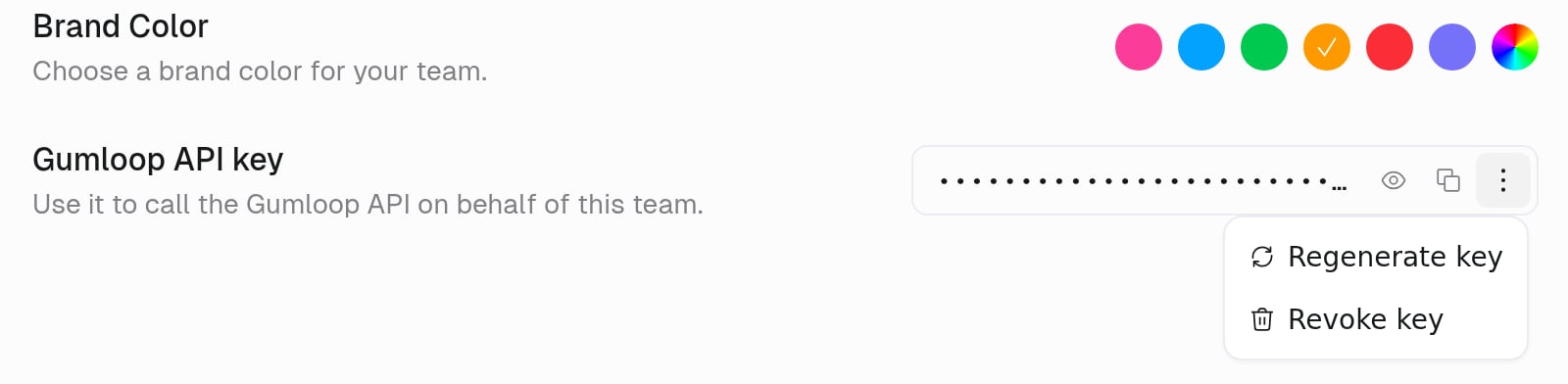
Regenerate or revoke a key
Click the three-dot menu at the end of the key field, then choose Regenerate key or Revoke key. Both ask you to confirm.- Regenerate key replaces the key. The current key stops working immediately, so update anything that uses it with the new key.
- Revoke key deletes the key. Anything using it stops working. You can generate a new one from the same row.
Personal vs team
Don’t paste a personal key into a shared CI secret if a team key works.
FAQ
Why can't I find Gumloop API Key on the Connectors page?
Why can't I find Gumloop API Key on the Connectors page?
It moved. Personal keys are now in the Gumloop API key row on Settings → Profile, and team keys are in each team’s settings. Keys you generated before the move still work and show up in the new rows.
What happens if I regenerate the key?
What happens if I regenerate the key?
The old key stops working immediately. Update the CLI, GitHub Actions, and any SDK clients.
Is this the same as an OpenAI or Anthropic key?
Is this the same as an OpenAI or Anthropic key?
No. This key authenticates Gumloop’s API. Provider keys go on Use your own LLM key.
Related
API authentication
How to send the key
CLI authentication
gumloop auth