

You’ll need a Gumloop API key. Generate one in the Gumloop API key row of your Profile settings. To get there, open Settings at the bottom of the left sidebar, then Profile. See Find your Gumloop API key. The server handles OAuth automatically: the first time you connect, it prompts you to sign in and authorize access.
Claude
Add Gumloop to Claude as a custom connector, then sign in to Gumloop once to authorize it. These steps work in Claude on the web and in Claude Desktop.1
Open Connectors in Claude
In Claude, open Settings, then choose Connectors under Customize in the left sidebar.
2
Choose Add custom connector
Click Add in the top-right corner of the Connectors page, then choose Add custom connector.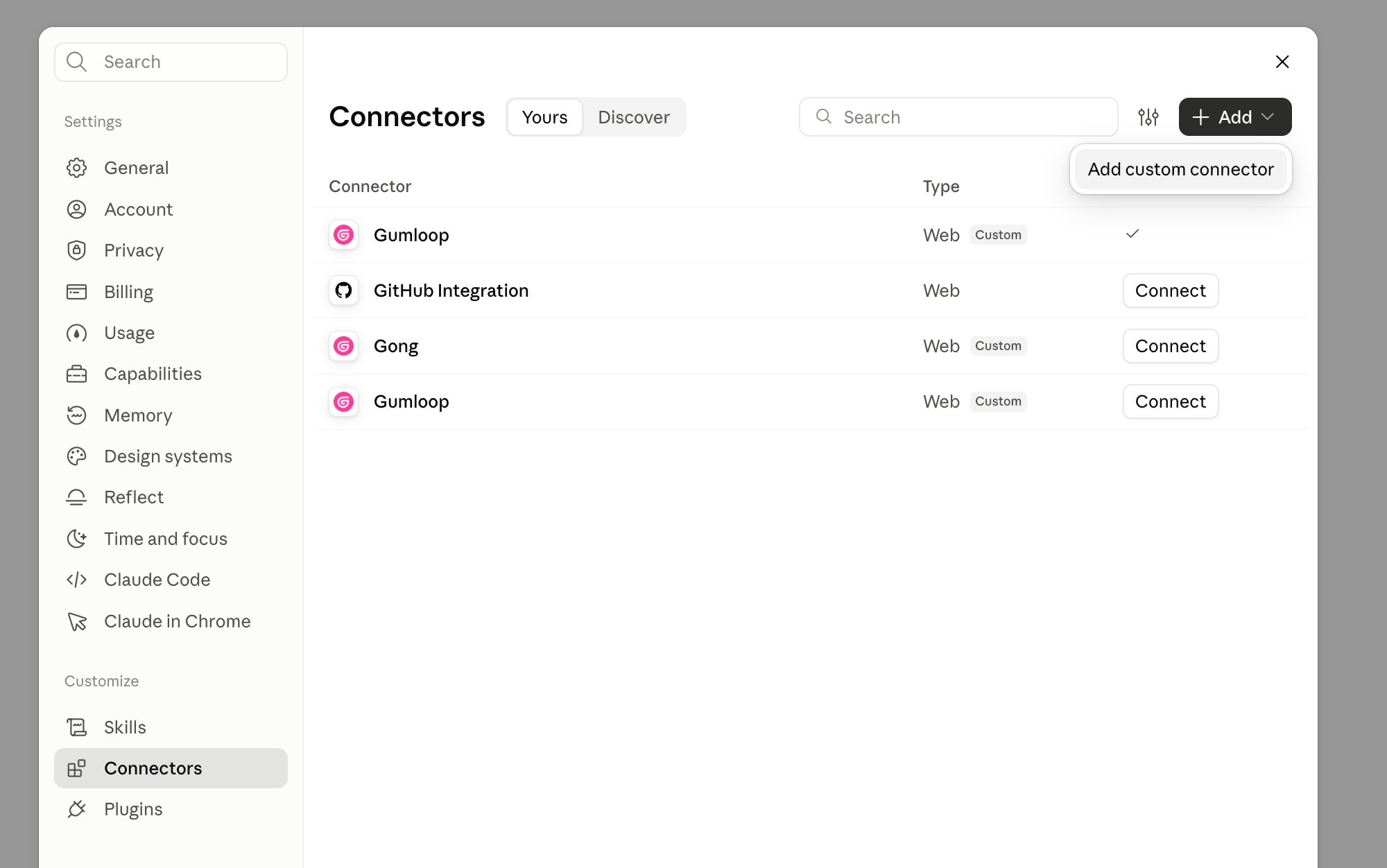
3
Enter the name and server URL
In the Add custom connector dialog, enter 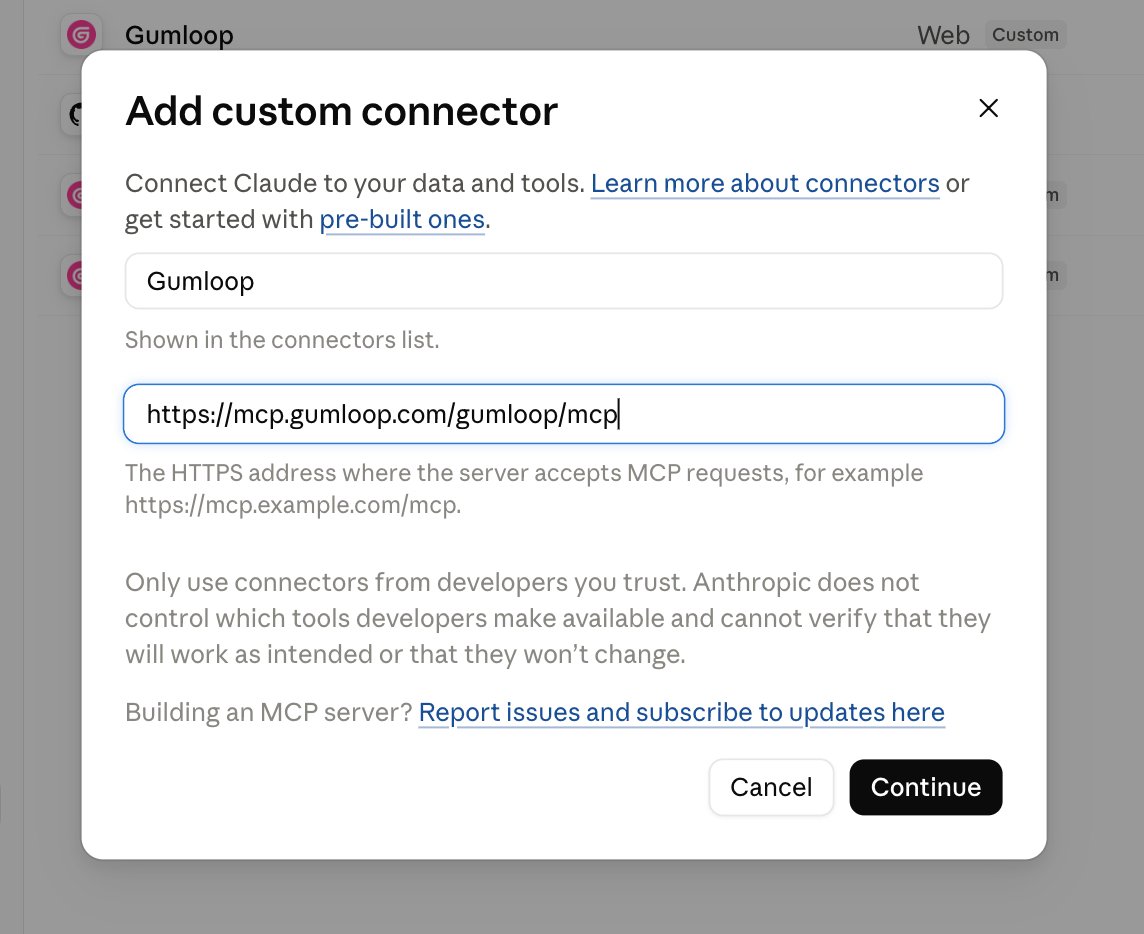
Gumloop as the name (it’s shown in the connectors list). In the URL field, paste the Gumloop MCP server URL, then click Continue:4
Connect and sign in to Gumloop
If Claude doesn’t open the sign-in page right away, click Connect next to Gumloop in the connectors list. A Gumloop page opens in your browser. Sign in to Gumloop if you aren’t already.
5
Allow access on the Authorize Claude screen
On the Authorize Claude screen, keep Team set to Personal. Your personal key also lets Claude run and edit agents in the teams you belong to. Check that Gumloop API Key shows Connected, then click Allow.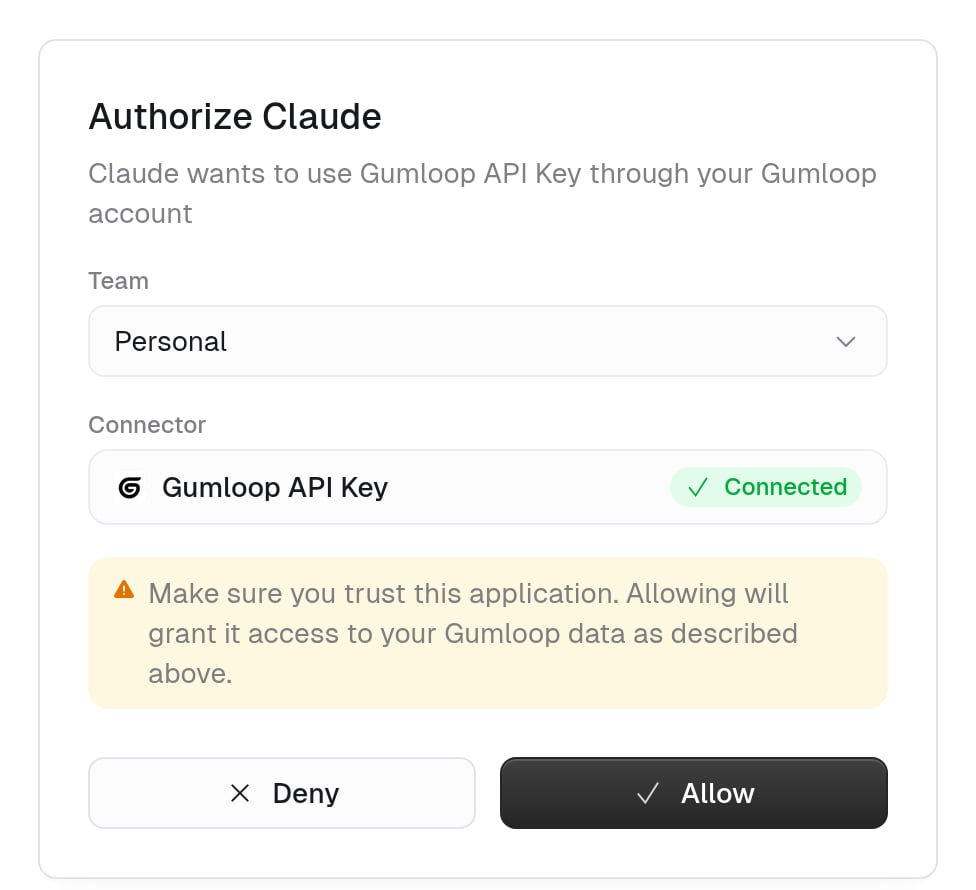
6
Confirm the connection
Back in Claude, the Gumloop row in Settings > Connectors shows a checkmark instead of a Connect button. Start a new chat and ask Claude something like “List my Gumloop agents” to check that the tools work.
Claude Code
Add the server from your terminal:/mcp, and select gumloop. A Gumloop page opens in your browser. Sign in, keep Team set to Personal on the Gumloop authorize screen, and click Allow.
Cursor
- Open Cursor Settings (Cmd/Ctrl + Shift + J)
- Go to MCP and click Add new MCP server
- Select Type: SSE and enter the server URL:
VS Code
Add this configuration to your.vscode/mcp.json:
Windsurf
- Open Windsurf settings (Cmd/Ctrl + ,)
- Scroll to Cascade > MCP servers
- Select Add Server > Add custom server
- Add this configuration: