

Why is Gumball emailing me?
The Daily Chew or Meeting Prep has Email turned on under its Delivery setting. Every report is always saved inside Gumball, and Email and Slack DM are extra copies you opt into. Turn the email copy off and the feature keeps working, you just stop getting it in your inbox.Stop Daily Chew emails
1
Open the Daily Chew settings
On the Gumball home screen, find Routines in the right-hand panel and click Daily Chew to open its settings.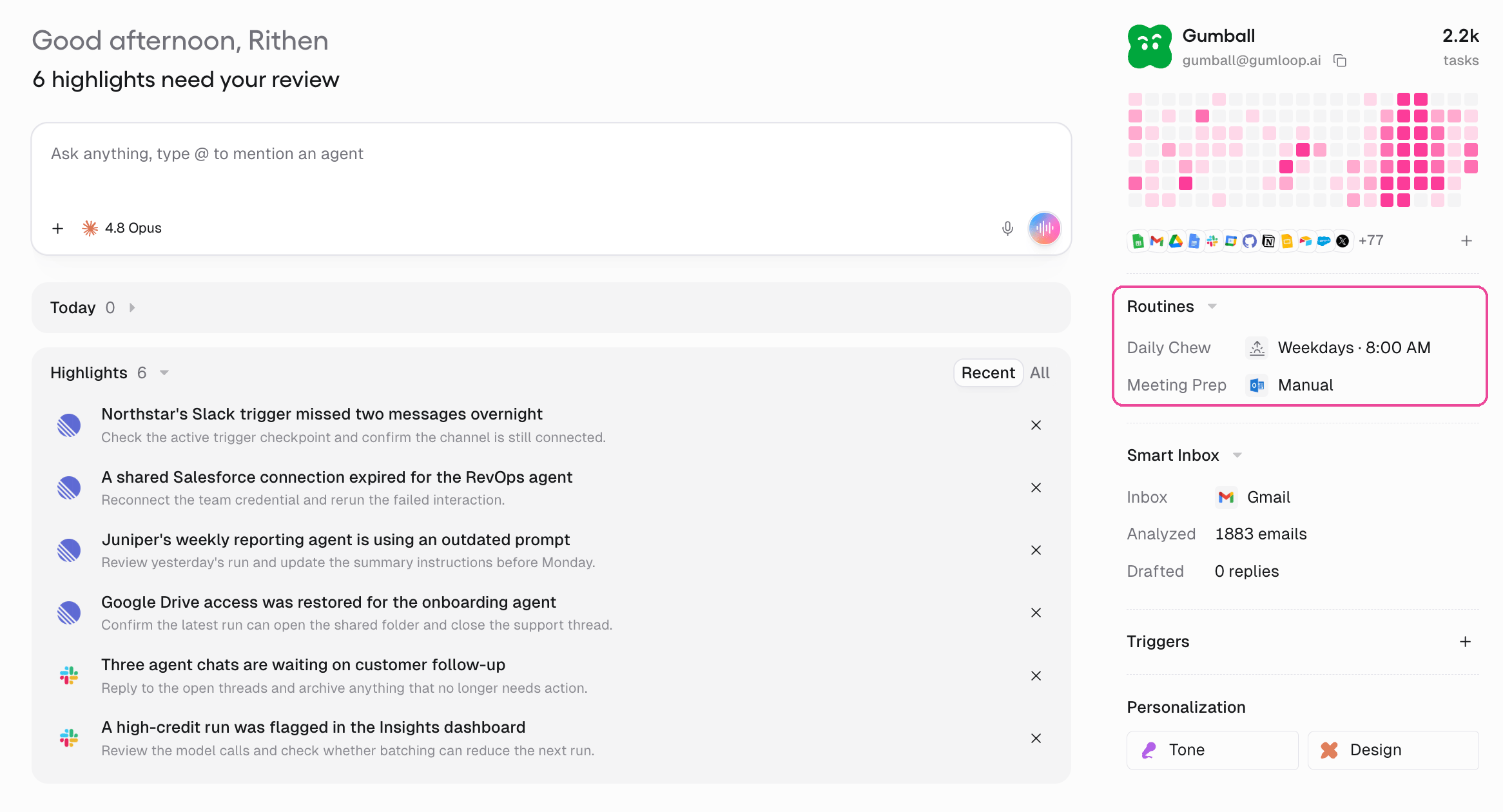
2
Turn off email delivery
Under Delivery, switch off Email and click Save changes. The report still appears in Gumball, and in a Slack DM if you left that on.
3
Or pause it entirely
To stop the report from running at all, pause the Daily Chew. Pausing stops future runs, resuming puts it back on schedule, and your past reports stay in your history either way.
Stop Meeting Prep emails
1
Open the Meeting Prep settings
On the Gumball home screen, find Routines in the right-hand panel and click Meeting Prep to open its settings.
2
Turn off email delivery
Under Delivery, switch off Email and click Save changes. Briefs still appear in Gumball.
3
Or stop automatic briefs
To stop Gumball preparing briefs on its own, turn off Prep meetings automatically. Your meetings still show on the Gumball home screen, and Prepare now still works whenever you want a brief.
FAQ
I still want the report, just not by email
I still want the report, just not by email
Turn off Email under Delivery and leave the feature on. The Daily Chew and Meeting Prep always stay inside Gumball, so you can read them there, or keep the Slack DM copy if you prefer Slack.
I turned off email but Gumball still messages me in Slack
I turned off email but Gumball still messages me in Slack
Slack is a separate delivery option. Open the same Delivery setting on the Daily Chew or Meeting Prep and switch off Slack DM as well. Turning off Email does not remove the Slack copy.
Is Smart Inbox sending me these emails?
Is Smart Inbox sending me these emails?
No. Smart Inbox works inside your own Gmail or Outlook: it applies labels and can write drafts, but it does not send you a separate message. If you do not want Gumball touching your mailbox, open Smart Inbox in the right-hand panel of the Gumball home screen and turn it off.
Can I delete Gumball completely?
Can I delete Gumball completely?
No. Gumball is your built-in personal agent, one per account, and its address
gumball@gumloop.ai is reserved, so it cannot be deleted or renamed. You can silence it instead: turn off Email delivery, pause the Daily Chew, turn off automatic Meeting Prep, and turn off Smart Inbox. With those off, Gumball only acts when you ask it to in chat.I want to stop every Gumloop email or close my account
I want to stop every Gumloop email or close my account
Turning off Gumball’s emails does not cancel your account. To leave Gumloop, delete your account from Settings → Profile → General under Danger Zone. If you only want to end a paid plan, see How Do I Cancel My Plan or Free Trial?.
Related
Gumball
How your personal agent, Daily Chew, Smart Inbox, and Meeting Prep work.
Profile settings
Your personal preferences and agent notifications.