> ## Documentation Index
> Fetch the complete documentation index at: https://docs.gumloop.com/llms.txt
> Use this file to discover all available pages before exploring further.
# Let Someone Edit Your Agent
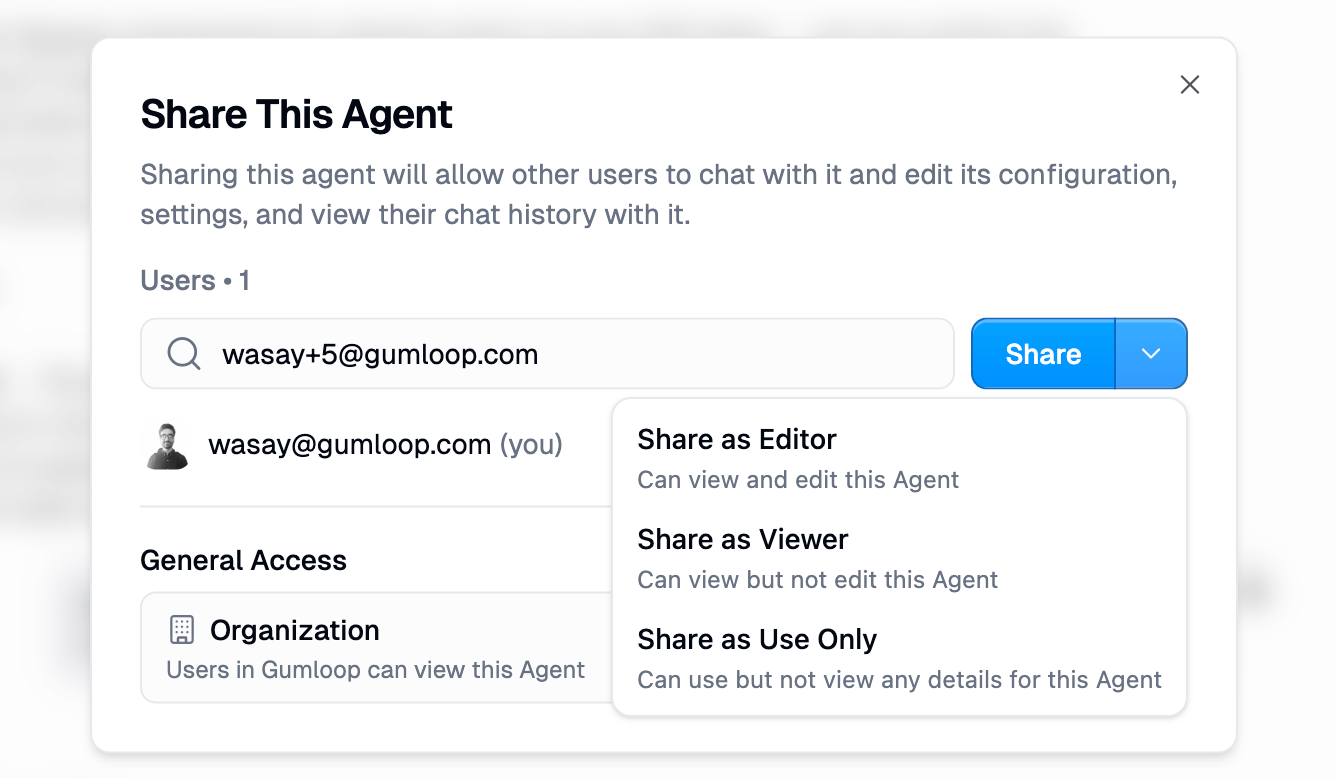
Open **Share**, add the person, and set their role to **Editor**. Anything less cannot change instructions, tools, or triggers.
## Share the agent
1. Open the [agent](https://www.gumloop.com/agents).
2. Click **Share**.
3. Add the person by email and choose **Editor**.
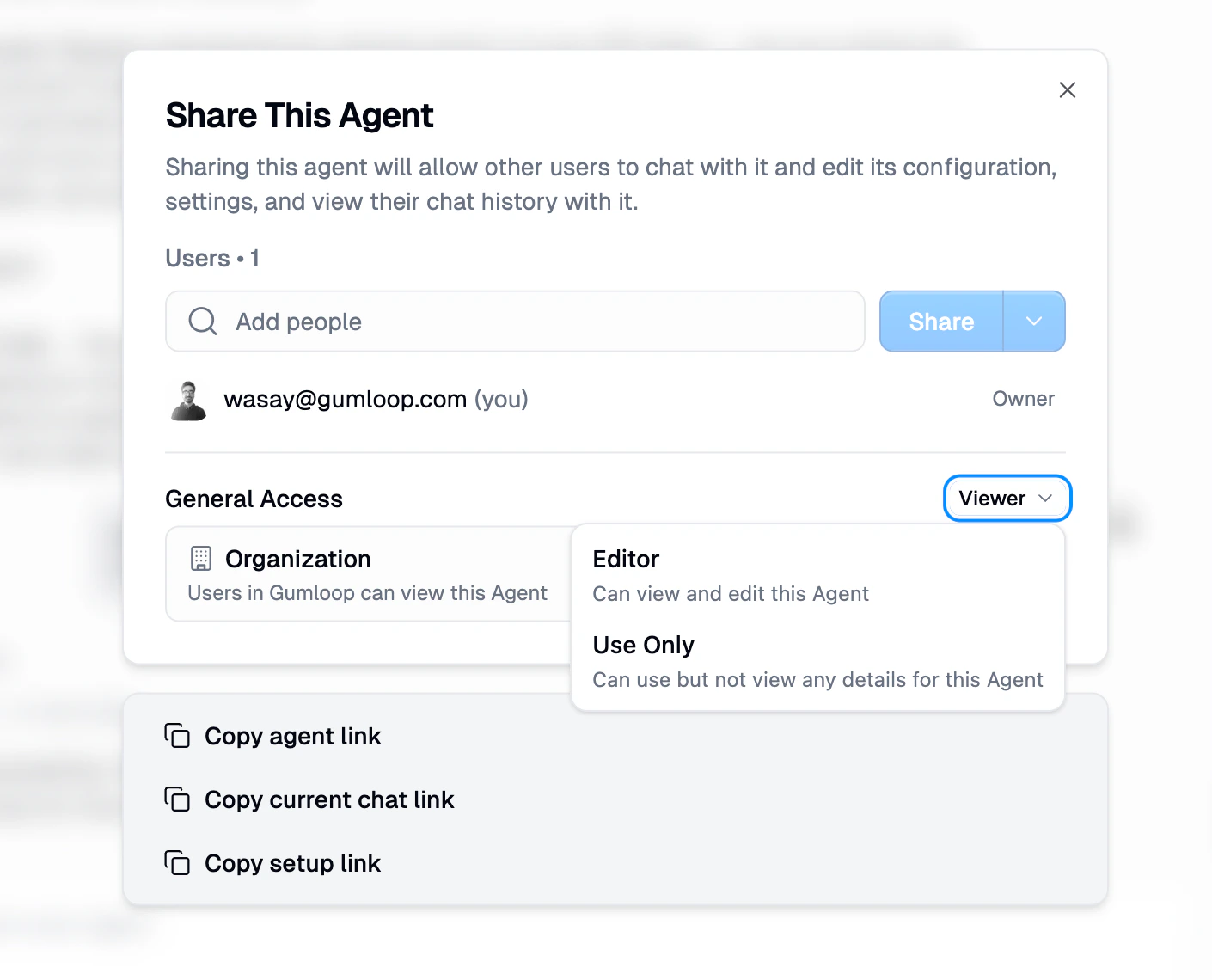
 To let a whole team or the org edit it, change **General Access** to that group and set the role to Editor. Be careful: every Editor can change production behavior.
 ## If they still need to connect Gmail or Slack
Use **Copy setup link** in the Share dialog instead of only sending the agent URL. It walks them through authenticating the agent's required connectors.
## If they only need a copy
Use **Make a copy** instead of granting Editor on the original.
## If they still need to connect Gmail or Slack
Use **Copy setup link** in the Share dialog instead of only sending the agent URL. It walks them through authenticating the agent's required connectors.
## If they only need a copy
Use **Make a copy** instead of granting Editor on the original.
 ## Team workspace alternative
If several people should own the agent long term, [create a team](/help/sharing/create-a-team) and put the agent there. Then grant Editor on the team agent.
Changing someone's role does not automatically rewrite existing triggers they already created. See [Share Permissions](/core-concepts/share_permissions) for trigger ownership.
## Related
What Editor can do
Company-wide launch
## Team workspace alternative
If several people should own the agent long term, [create a team](/help/sharing/create-a-team) and put the agent there. Then grant Editor on the team agent.
Changing someone's role does not automatically rewrite existing triggers they already created. See [Share Permissions](/core-concepts/share_permissions) for trigger ownership.
## Related
What Editor can do
Company-wide launch