> ## Documentation Index
> Fetch the complete documentation index at: https://docs.gumloop.com/llms.txt
> Use this file to discover all available pages before exploring further.
# Create a Team
Create a team only when several people need to own agents and connectors together. For most rollouts, keep the agent personal and [share it](/help/sharing/let-someone-edit-an-agent).
## Before you start
You need an organization **Admin** or **Manager** role. See [Organization and Teams](/core-concepts/teams).
## From the sidebar
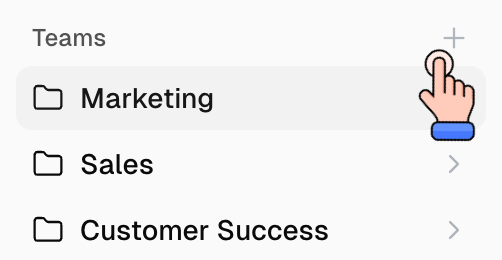
1. On the [Home page](https://www.gumloop.com/hub), find **Teams** in the left sidebar.
2. Click the **+** icon.
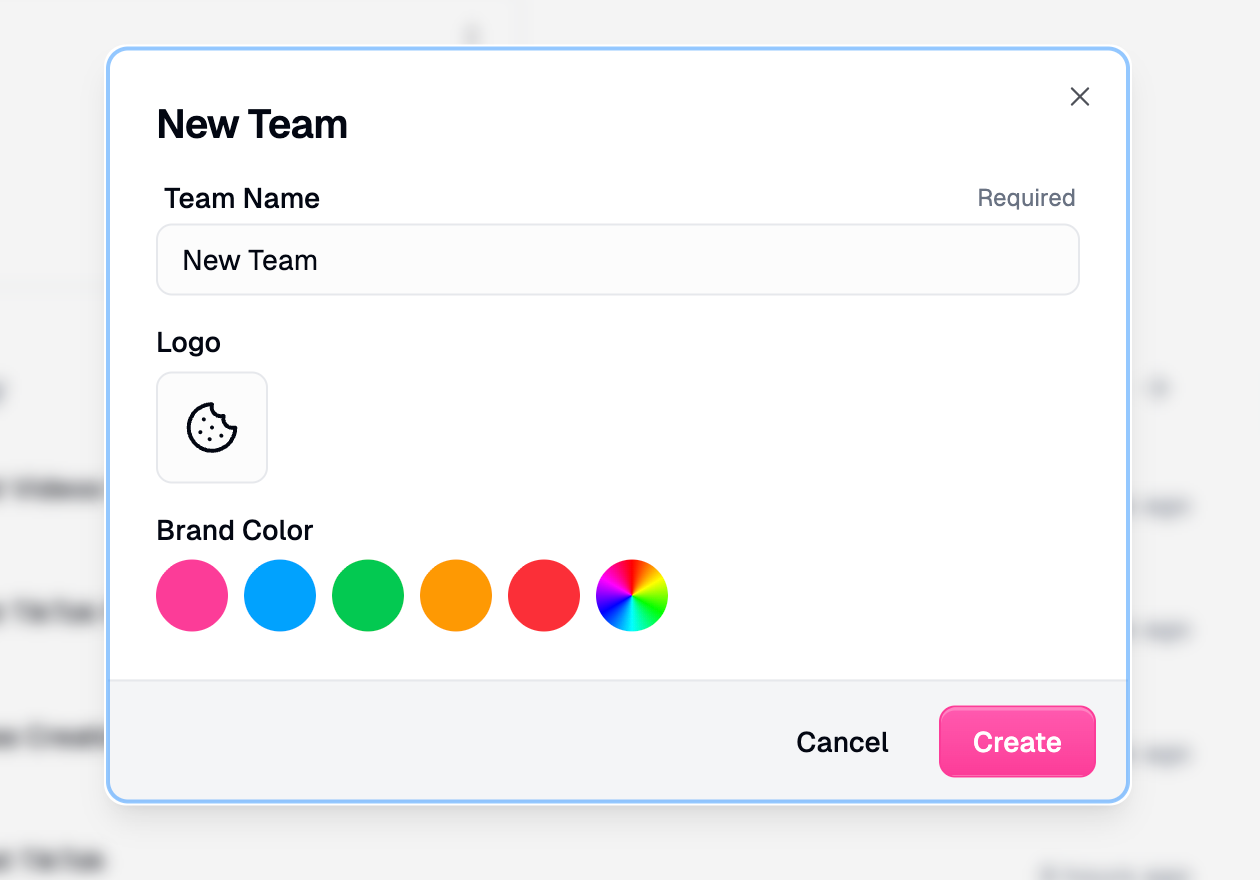
3. Name the team, optionally pick a logo and brand color, then click **Create**.
 ## From organization settings
1. Go to [Organization > Teams](https://www.gumloop.com/settings/organization/teams).
2. Click **Create**.
## After you create it
* [Add people](/help/sharing/add-someone-to-org-or-team) to the team.
* [Add team connectors](/help/connectors/add-team-connectors) if the team should share one account.
* Move or create agents in that team only when they should be team-owned.
You do not need a team just to let someone use an agent. Share the agent with **Use Only** or **Editor** instead.
## Related
Personal space vs team
Invite after the team exists
## From organization settings
1. Go to [Organization > Teams](https://www.gumloop.com/settings/organization/teams).
2. Click **Create**.
## After you create it
* [Add people](/help/sharing/add-someone-to-org-or-team) to the team.
* [Add team connectors](/help/connectors/add-team-connectors) if the team should share one account.
* Move or create agents in that team only when they should be team-owned.
You do not need a team just to let someone use an agent. Share the agent with **Use Only** or **Editor** instead.
## Related
Personal space vs team
Invite after the team exists