> ## Documentation Index
> Fetch the complete documentation index at: https://docs.gumloop.com/llms.txt
> Use this file to discover all available pages before exploring further.
# Add Team Connectors
Team connectors belong to the **team**, not to one person. Use them for a shared inbox, CRM, or Slack workspace.
## Why use them
* Everyone on the team can run agents against the same account.
* People do not have to connect their personal Gmail or Salesforce.
* You can revoke the shared connection in one place.
## From the sidebar
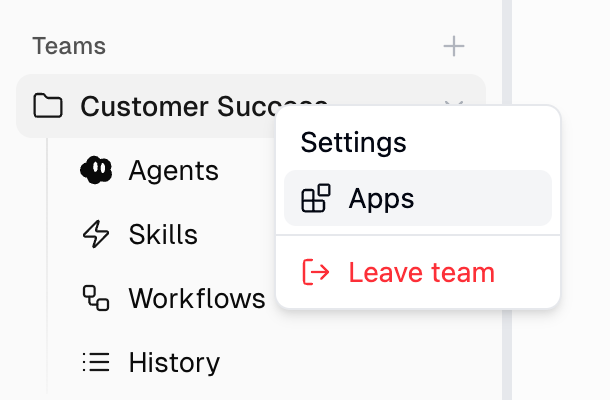
1. On the [Home page](https://www.gumloop.com/hub), right-click the team and open **Settings**.
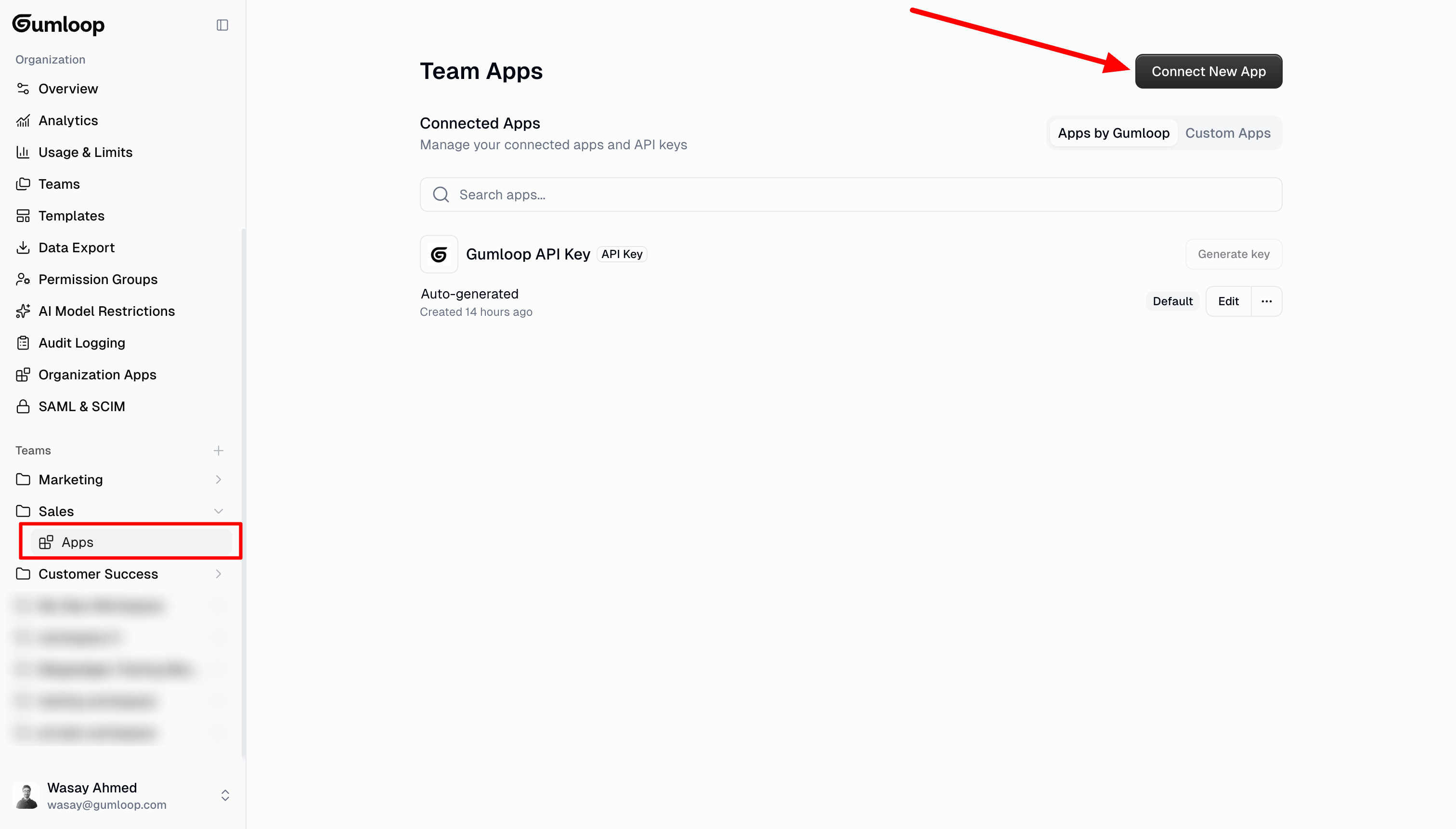
2. Open **Connectors**.
3. Click **Add Connector**, pick the app, and sign in with the shared account.
 ## From organization settings
1. Go to [Organization > Teams](https://www.gumloop.com/settings/organization/teams).
2. Open the team, then **Connectors**.
3. Click **Add Connector**.
## Who can add them
Team owners and members with permission to manage team connectors. Organization members who are not on the team cannot use that team's connectors.
A team connector only works for agents that live **on that team**. Personal-space agents cannot see it until you [move the agent](/help/connectors/use-team-connectors).
## Related
Point an agent at the shared account
Personal vs team
## From organization settings
1. Go to [Organization > Teams](https://www.gumloop.com/settings/organization/teams).
2. Open the team, then **Connectors**.
3. Click **Add Connector**.
## Who can add them
Team owners and members with permission to manage team connectors. Organization members who are not on the team cannot use that team's connectors.
A team connector only works for agents that live **on that team**. Personal-space agents cannot see it until you [move the agent](/help/connectors/use-team-connectors).
## Related
Point an agent at the shared account
Personal vs team