> ## Documentation Index
> Fetch the complete documentation index at: https://docs.gumloop.com/llms.txt
> Use this file to discover all available pages before exploring further.
# Agent Default Settings
Organization admins can set the defaults used for new agents created in the organization. Open the [Agents](https://gumloop.com/settings/organization/agents) page in organization settings to customize the default settings for new agents created in this organization.
This feature is available to the organization **Admin** role on the **Pro** plan or higher. See the [organization role matrix](/core-concepts/organization_user_roles#admin).
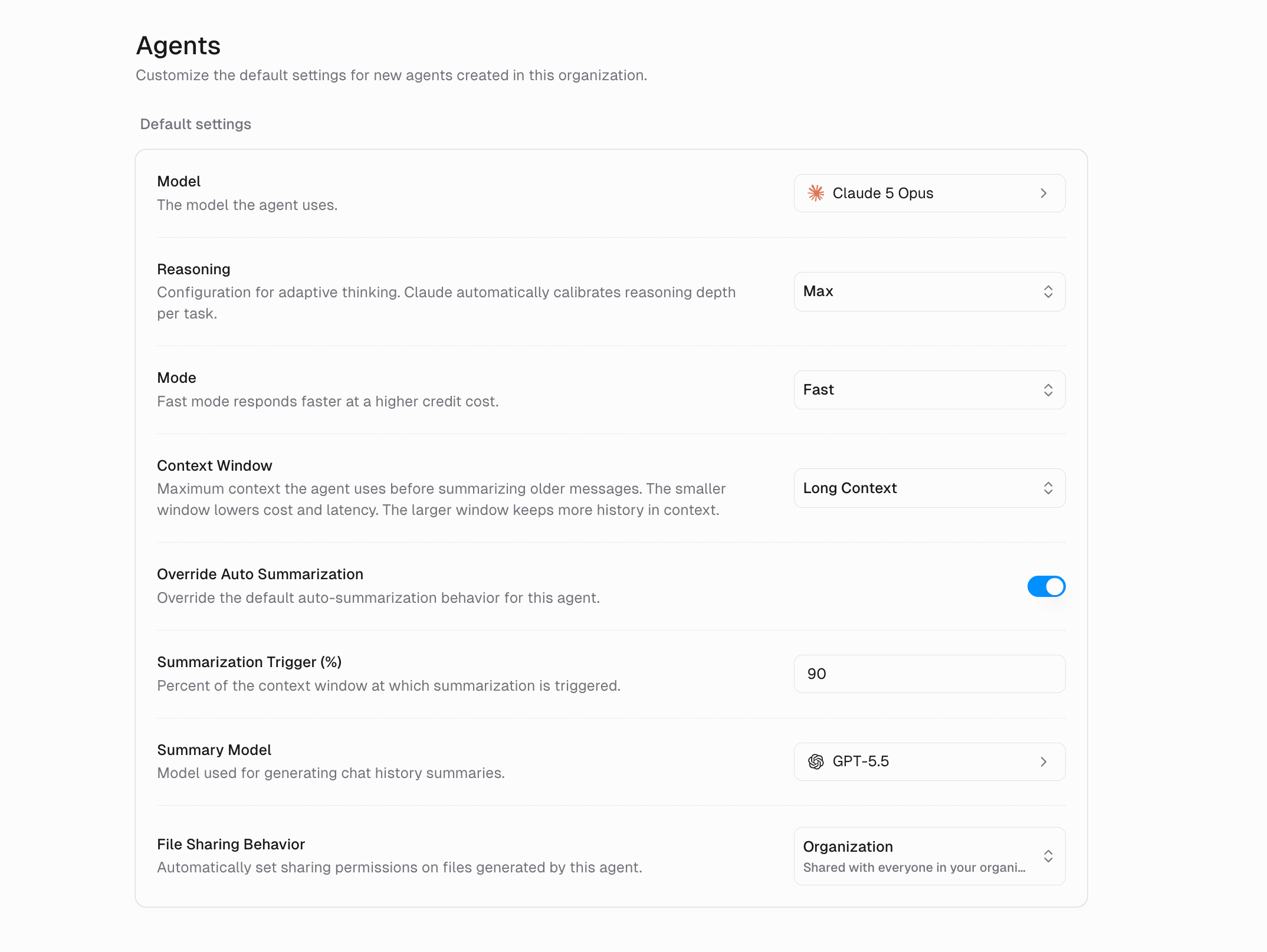 There is one set of defaults per organization.
## Available settings
| Setting | What it controls |
| ------------------------------- | ----------------------------------------------------------------------- |
| **Model** | The model the agent uses. |
| **Reasoning** | How much the model reasons before answering. |
| **Mode** | Fast mode responds faster at a higher credit cost. |
| **Context Window** | Maximum context the agent uses before summarizing older messages. |
| **Override Auto Summarization** | Override the default auto-summarization behavior for this agent. |
| **Summarization Trigger (%)** | Percent of the context window at which summarization is triggered. |
| **Summary Model** | Model used for generating chat history summaries. |
| **File Sharing Behavior** | Automatically set sharing permissions on files generated by this agent. |
The **Reasoning**, **Mode**, and **Context Window** settings are model-aware. They appear based on the model you pick and come from that model's settings schema. These are the same per-model settings described in [AI advanced settings](/core-concepts/agents#ai-advanced-settings).
For **File Sharing Behavior**, the available values are:
| Value | What it does |
| ---------------- | ---------------------------------------------------- |
| **Default** | Inherits sharing permissions from the chat and agent |
| **Organization** | Shared with everyone in your organization |
## How defaults apply
Every new custom agent created in the organization inherits these defaults for anything its creator does not set:
* The model and its model settings
* File-sharing behavior
* The agent's default abilities configuration, including which native abilities are on and which image model **Image Generation** uses
If your organization has no defaults, Gumloop's built-in defaults apply. Defaults do not change agents that already exist.
A few settings are never inherited:
* The agent icon
* The agent's self-improvement settings, which follow the creator, such as their timezone
Removing the organization defaults puts new agents back on Gumloop's built-in defaults.
There is one set of defaults per organization.
## Available settings
| Setting | What it controls |
| ------------------------------- | ----------------------------------------------------------------------- |
| **Model** | The model the agent uses. |
| **Reasoning** | How much the model reasons before answering. |
| **Mode** | Fast mode responds faster at a higher credit cost. |
| **Context Window** | Maximum context the agent uses before summarizing older messages. |
| **Override Auto Summarization** | Override the default auto-summarization behavior for this agent. |
| **Summarization Trigger (%)** | Percent of the context window at which summarization is triggered. |
| **Summary Model** | Model used for generating chat history summaries. |
| **File Sharing Behavior** | Automatically set sharing permissions on files generated by this agent. |
The **Reasoning**, **Mode**, and **Context Window** settings are model-aware. They appear based on the model you pick and come from that model's settings schema. These are the same per-model settings described in [AI advanced settings](/core-concepts/agents#ai-advanced-settings).
For **File Sharing Behavior**, the available values are:
| Value | What it does |
| ---------------- | ---------------------------------------------------- |
| **Default** | Inherits sharing permissions from the chat and agent |
| **Organization** | Shared with everyone in your organization |
## How defaults apply
Every new custom agent created in the organization inherits these defaults for anything its creator does not set:
* The model and its model settings
* File-sharing behavior
* The agent's default abilities configuration, including which native abilities are on and which image model **Image Generation** uses
If your organization has no defaults, Gumloop's built-in defaults apply. Defaults do not change agents that already exist.
A few settings are never inherited:
* The agent icon
* The agent's self-improvement settings, which follow the creator, such as their timezone
Removing the organization defaults puts new agents back on Gumloop's built-in defaults.