> ## Documentation Index
> Fetch the complete documentation index at: https://docs.gumloop.com/llms.txt
> Use this file to discover all available pages before exploring further.

# Node and Workflow Library

The Hub is your central place to discover and manage custom nodes across your organization. Share custom nodes with specific users or your entire team to build a reusable library of automation components.

## Enhanced Hub Page Experience

### Advanced Filtering Options

<div align="center">
  <img src="https://mintcdn.com/agenthub/OIDhR9iY2uRNFi5X/images/hub_page_filter.png?fit=max&auto=format&n=OIDhR9iY2uRNFi5X&q=85&s=58d6dd9133f15071bc16cc0821ab443f" alt="Hub page filtering options" width="600" data-path="images/hub_page_filter.png" />
</div>

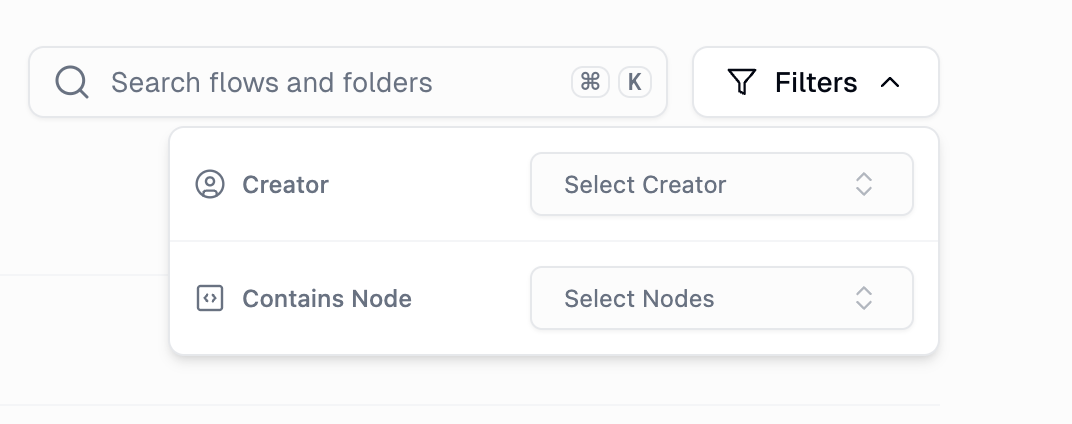
The Hub now includes powerful filtering capabilities:

<CardGroup cols={3}>
  <Card title="Filter by Creator" icon="user">
    Find workflows created by specific team members
  </Card>

  <Card title="Filter by Nodes" icon="cube">
    Discover workflows that use particular nodes or integrations
  </Card>

  <Card title="Content Type Tabs" icon="folder-tree">
    Switch between workflows and custom nodes seamlessly
  </Card>
</CardGroup>

### Custom Nodes Tab

<div align="center">
  <img src="https://mintcdn.com/agenthub/dn7emlKONFx9smnZ/images/custom_node_tab_hub_page.png?fit=max&auto=format&n=dn7emlKONFx9smnZ&q=85&s=1a684a549043e40ae8a39fa3df9ec003" alt="Custom node filter on Hub page" width="800" data-path="images/custom_node_tab_hub_page.png" />
</div>

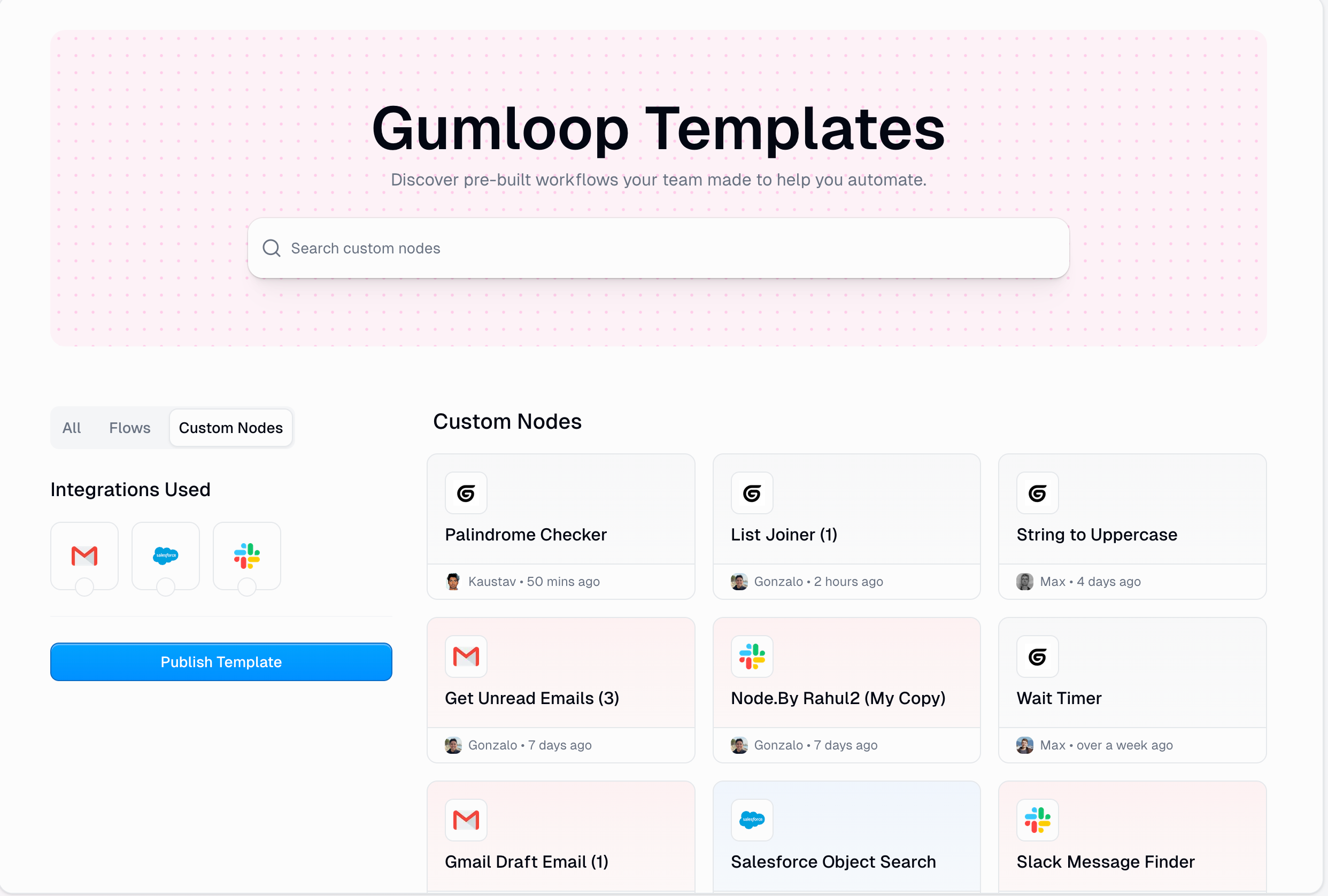
Custom nodes now have their own dedicated space in the Hub, making it easy to view all your custom nodes in one place, manage node permissions and sharing, and track usage across your organization.

## Sharing Custom Nodes

Custom nodes represent some of the most valuable automation assets within an organization. These sharing features make these powerful tools discoverable and reusable.

### Publishing Custom Nodes

<div align="center">
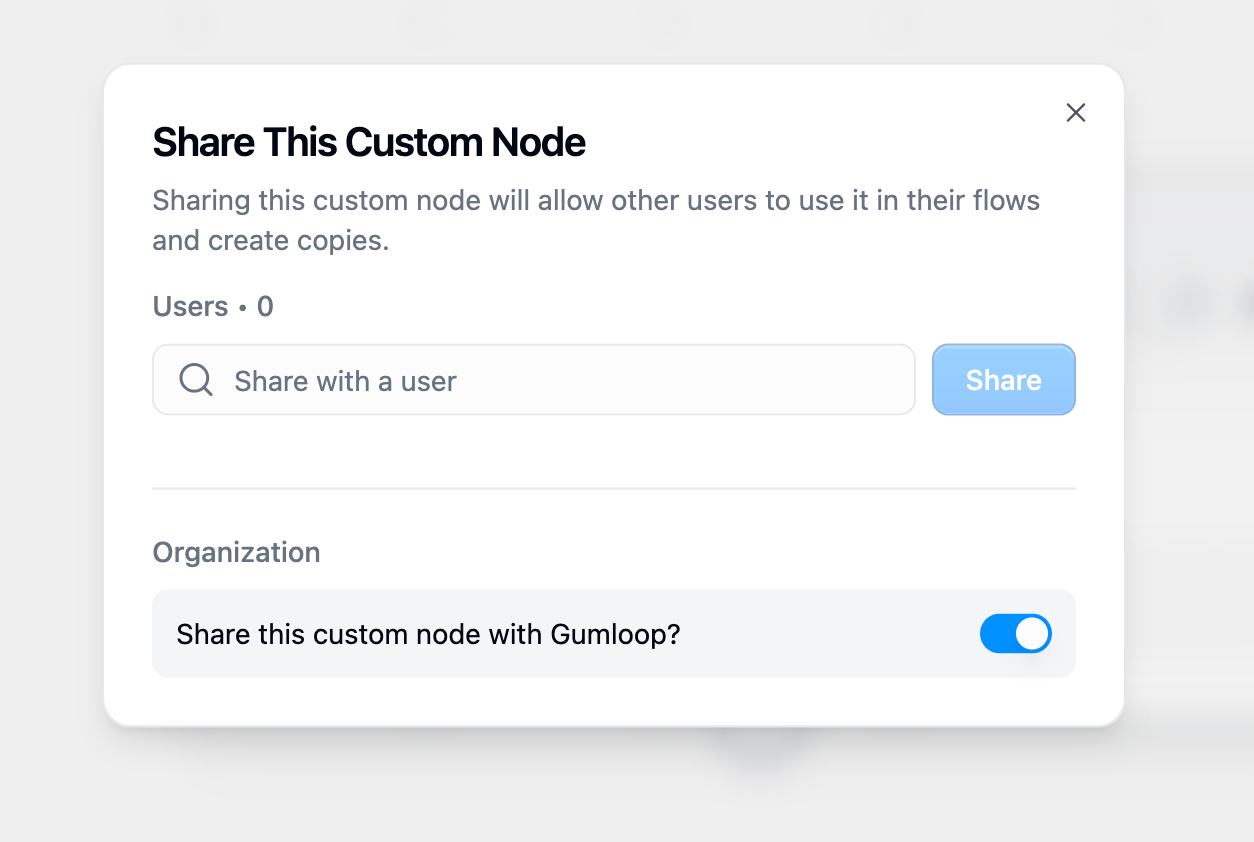
  <img src="https://mintcdn.com/agenthub/w1F7hfGEH4EChCiL/images/sharing_custom_nodes.png?fit=max&auto=format&n=w1F7hfGEH4EChCiL&q=85&s=043c402d4dbface45da65609cf583864" alt="Share modal" width="400" data-path="images/sharing_custom_nodes.png" />
</div>

<Steps>
  <Step title="Access Node Sharing">
    Hover over the node and click on the `Share` button
  </Step>

  <Step title="Choose Sharing Method">
    Select how you want to share the node:

    * **Share with Organization**: Makes the node discoverable by all organization members
    * **Share with Specific Users**: Gives immediate access to use the node to the selected team members
  </Step>
</Steps>

### Node Discovery and Usage

When a node is shared directly with you, it appears **immediately** in your node library with no additional action required.

<div align="center">
  <img src="https://mintcdn.com/agenthub/OIDhR9iY2uRNFi5X/images/node_discovery.png?fit=max&auto=format&n=OIDhR9iY2uRNFi5X&q=85&s=4fb494f78baaa6cc955c437d7e309c3c" alt="Node discovery." width="700" data-path="images/node_discovery.png" />
</div>

### Search and Attribution

Every custom node shared within your organization includes:

<CardGroup cols={2}>
  <Card title="Creator Attribution" icon="signature">
    See who built each node
  </Card>

  <Card title="Creation Date" icon="calendar">
    Understand how recent or established the node is
  </Card>

  <Card title="Contact Information" icon="envelope">
    Easy access to reach the creator for questions
  </Card>

  <Card title="Node Description" icon="file-lines">
    Understand what the node does and how to use it
  </Card>
</CardGroup>

## Best Practices for Sharing Custom Nodes

<AccordionGroup>
  <Accordion title="Use Descriptive Names">
    Choose names that clearly indicate the node's purpose
  </Accordion>

  <Accordion title="Write Clear Descriptions">
    Explain what the node does, when to use it, and expected outcomes
  </Accordion>

  <Accordion title="Test Before Publishing">
    Ensure the node works correctly before sharing
  </Accordion>

  <Accordion title="Keep Nodes Updated">
    Maintain and improve shared nodes based on user feedback
  </Accordion>
</AccordionGroup>