> ## Documentation Index
> Fetch the complete documentation index at: https://docs.gumloop.com/llms.txt
> Use this file to discover all available pages before exploring further.
# Working With Files
Being able to upload and download files is essential to many workflows.
## File Upload
If you want your workflow to be able to read from a local file you need to upload it to your remote file storage.
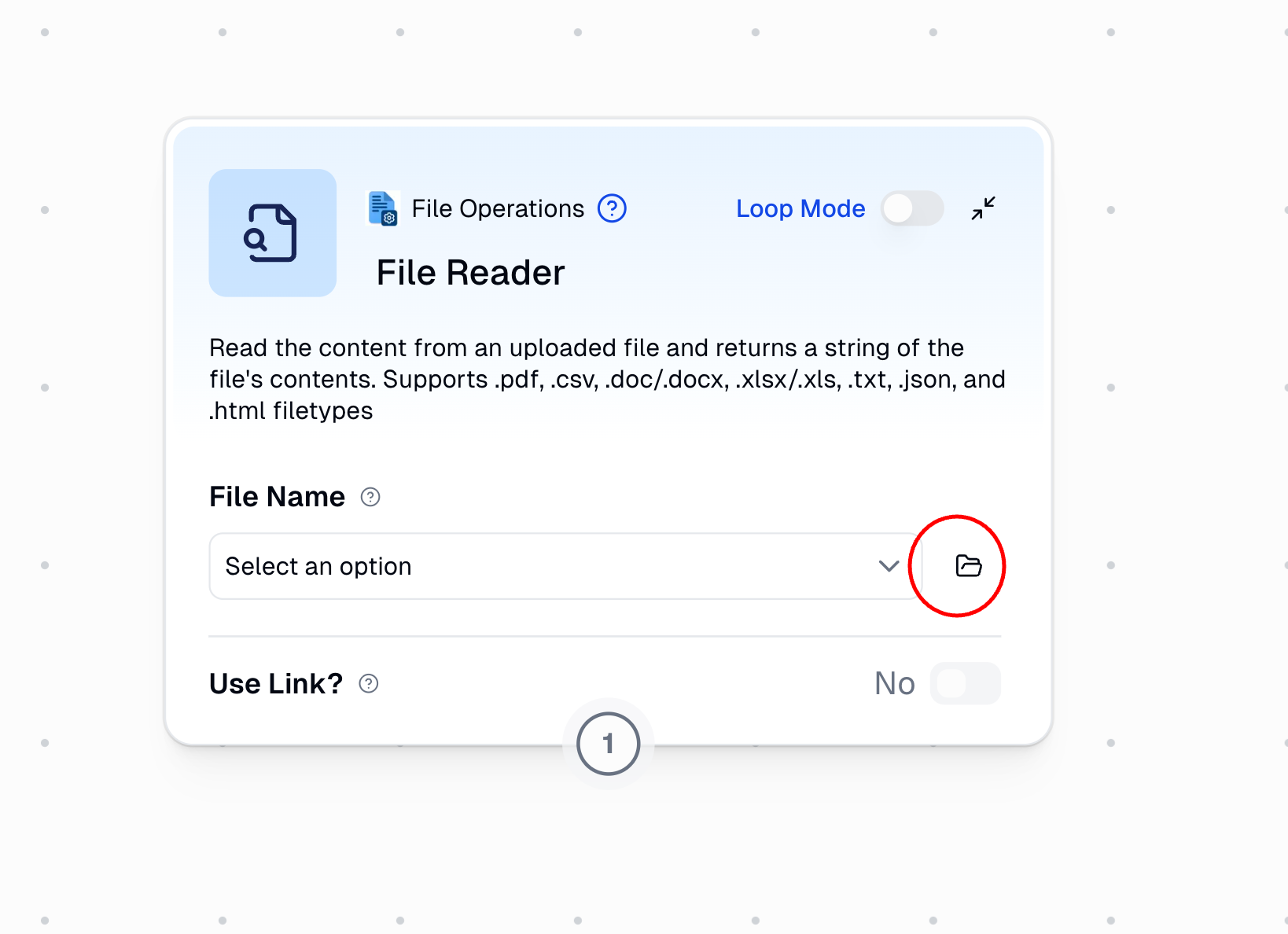
Drag any 'File Operations' node and click on the folder icon.
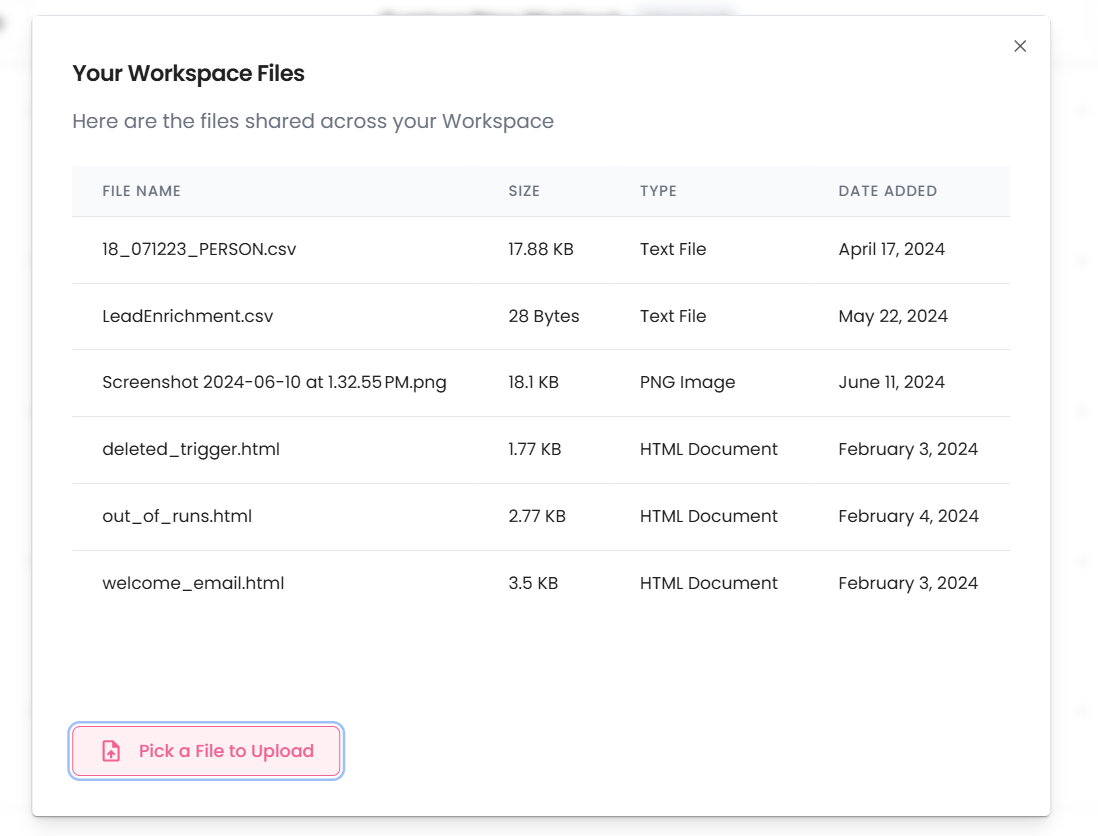
The following popup will appear (might look a little different for you)
Select the "Pick a File to Upload" option and upload your local file!
## File Download & Delete
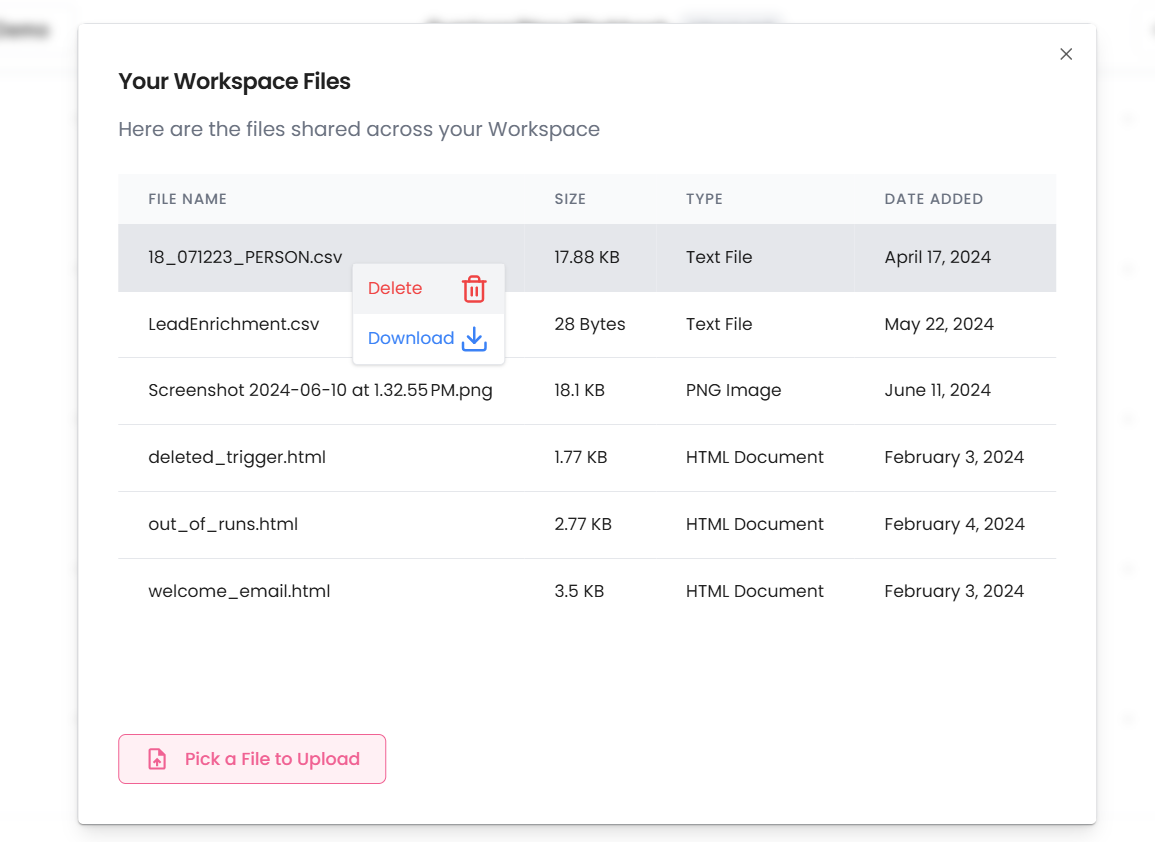
From the files pop-up you can right-click on any file to either download it or delete it.
**Deleting a file deletes it from our servers forever so be careful!**
## Supported File Types
* .csv
* .pdf
* .doc/.docx
* .xlsx/xls
* .json
* .txt
* .html
We only support these file types currently because these are the ones we've seen a need for thus far.
## Maximum File Size
Currently, the maximum file size supported is 200MB.
### File Help
If you need us to add support for a different file type email us at [support@gumloop.com](mailto:support@gumloop.com)